
Can a video of your face replace your Google password?

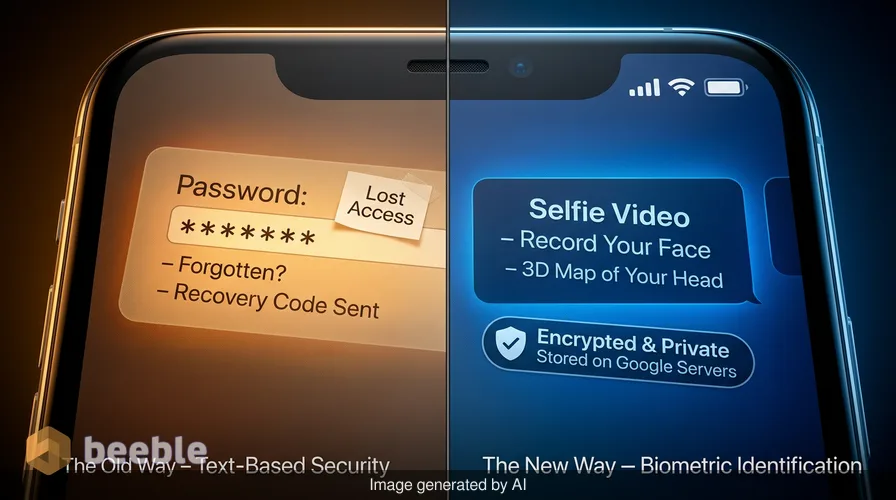
Have you ever found yourself staring at a login screen, realizing the password you used for years has simply vanished from your memory? It is a common frustration that often leads to a frantic search for recovery codes or a desperate attempt to reach a backup email. Google is now rolling out a solution that turns your physical presence into a digital spare key. You can now use a selfie video to regain access to your account, a move that signals a shift away from traditional text-based security toward biometric identification.
This new feature allows you to record a short video of your face to verify your identity when you are locked out. While this sounds convenient, it introduces new questions about privacy and the security of your biological data. For the average user, the choice between convenience and data protection has never been more direct. Essentially, Google is asking for a map of your face in exchange for the promise that you will never lose your digital life again.
How the selfie setup works
You cannot simply wait until you are locked out to use this feature. It requires preparation while you still have access to your account. To start, you must check if your account is eligible. Google currently excludes Workspace accounts, child accounts, and those enrolled in the Advanced Protection Program. This suggests the company still views physical security keys as the gold standard for high-risk users, while the selfie video is a tool for the general consumer.
Configuring the feature involves using your phone or computer camera to record a video of yourself. The system behaves like a tireless intern, carefully observing your features from multiple angles. You are asked to look up, down, and to the sides as the software creates a three-dimensional map of your head. This process ensures the system recognizes you even if the lighting is poor or if you are wearing glasses. Google stores this video on its servers, promising to keep it encrypted and private.
One small but important detail exists in the setup flow. A toggle switch allows Google to use your video to train its facial recognition technology. This is optional. You can use the recovery feature without contributing your data to Google's AI research. To put it another way, you have the power to keep your facial data strictly for security purposes without letting it become part of a larger machine-learning experiment.
Security and the threat of deepfakes
When you use the selfie video to log in, Google requires you to move your head in real-time. This is a liveness check designed to prove you are a breathing human and not a static photograph. However, we are living in an era where AI can generate convincing deepfakes with minimal effort. The technology to create a moving, talking digital clone is widely available and increasingly efficient.
Google maintains that it uses multiple layers of security to detect these synthetic videos. These systems look for subtle inconsistencies that the human eye might miss, such as unnatural skin texture or irregular eye movements. Despite these measures, the risk is tangible. If a hacker possesses enough video footage of you from social media, they might attempt to bypass this system. This is likely why Google prevents its most secure accounts from using the selfie method. For someone with a high public profile, a video of their face is not a secret; it is public record.
Practically speaking, the system is a trade-off. It is more secure than a simple password that can be guessed or phished, but it is less secure than a physical hardware key. Historically, biometrics have always faced this tension. A password can be changed if it is stolen, but you cannot change your face. If a biometric database suffers a breach, the consequences are permanent.
Comparing account recovery methods
Choosing the right way to protect your account depends on your personal risk level. Google offers several tools, each with different strengths. The following table compares the most common methods available to consumers today.
| Method | Setup Effort | Security Level | Privacy Cost |
|---|---|---|---|
| Password | Low | Low | Low |
| Recovery Email | Low | Medium | Low |
| Selfie Video | Medium | Medium | High |
| Backup Codes | Medium | High | Low |
| Security Key | High | Highest | Low |
From a consumer standpoint, the selfie video is an attractive middle ground. It does not require you to keep track of a physical piece of paper or a tiny USB drive. It relies on something you always have with you. However, the privacy cost is the highest because it involves giving a tech giant a permanent record of your physical appearance.
The broader ecosystem of facial data
Google is not just using these videos for account recovery. The company is integrating this data into other parts of its platform. You can use the selfie video to verify your age, which is required for certain types of content on YouTube or for using specific financial tools. This is a streamlined way to prove you are an adult without uploading a copy of your driver's license or passport.
There is also the matter of AI avatars. Google is using facial mapping to help users create digital versions of themselves for use in meetings or virtual environments. While this is a fun feature for many, it reinforces the idea that our faces are becoming our primary digital IDs. Behind the jargon of biometric authentication lies a systemic shift in how we interact with technology. We are moving from a world where we prove who we are by what we know (passwords) to a world where we prove who we are by who we are (biology).
Curiously, Google allows you to delete your video at any time. If you decide the privacy risk is too great, you can go into your account settings and wipe the data from their servers. This is an important safety valve for users who are wary of long-term data storage. Once the video is gone, however, you lose the ability to use it for recovery. You must then return to older, more manual methods of getting back into your account.
Practical foresight for the user
If you decide to enable selfie sign-ins, treat it as one part of a larger security plan. Do not rely on it as your only way back into your account. Always keep a set of printed backup codes in a safe place. These codes remain the most resilient way to recover an account if your technology fails or if your physical appearance changes significantly due to injury or surgery.
Observe your digital habits over the next few months. If you find yourself frequently forgetting passwords, the selfie video is a practical tool that reduces friction. However, if you are uncomfortable with the idea of a server in a distant data center holding a map of your face, stick to traditional methods. The convenience of a selfie is high, but the value of your biometric privacy is a personal calculation that only you can make. The digital notary of the future is your own camera, and it is up to you to decide when to sign on the dotted line.
Ultimately, this development is a sign that the password is dying. It is being replaced by a more intuitive, if more invasive, form of identity. As AI continues to evolve, the line between the physical and digital worlds will continue to blur. Your face is now your key, your ID, and your avatar. Use it wisely.
Sources:
Google Safety Center official documentation
Google Workspace security update logs
Identity and Access Management (IAM) industry reports 2026
Consumer Privacy Protection Bureau guidelines on biometrics



See you on the other side.
Our end-to-end encrypted email and cloud storage solution provides the most powerful means of secure data exchange, ensuring the safety and privacy of your data.
/ Create a free account