


Can You Really Trust That 'Official' Message in Your Encrypted Chat?

Have you ever paused for a second before clicking 'accept' on a message request, wondering if the person on the other end is truly who they claim to be? In an era where our digital lives are tucked away behind layers of encryption, a strange paradox has emerged: the more secure the technology becomes, the more scammers shift their focus toward the weakest link in any system—the human being behind the screen.
Signal, the gold standard for private communication used by everyone from high-stakes investigative journalists to your tech-savvy cousin, recently rolled out a series of protections aimed at a very specific and growing threat: impersonation. For years, the platform’s biggest selling point was its 'black box' nature. No one, not even Signal itself, could read your messages. But that very privacy has occasionally acted as a veil for bad actors. By introducing new in-app warnings and verification prompts, Signal is trying to ensure that the person you’re talking to isn’t just a ghost in the machine.
The Skeleton Key for the Human Mind
To understand why these updates matter, we have to look at the mechanics of the modern scam. Historically, if a hacker wanted into your account, they tried to break the code. In 2026, breaking the code is nearly impossible for most commercial software. Instead, threat actors use social engineering—a disruptive tactic that functions like a skeleton key for the human mind. They don't pick the lock; they simply convince you to hand over the key.
Scammers often pose as Signal Support or a trusted organization, sending urgent messages about a 'security breach' or a 'mandatory update.' They pressure users into sharing registration codes or PINs. Looking at the big picture, these aren't just random annoyances; they are systemic attempts to hijack accounts for identity theft or further phishing. Signal’s response is a series of friction points designed to slow us down and force a moment of critical thinking.
Breaking Down the New Defensive Layers
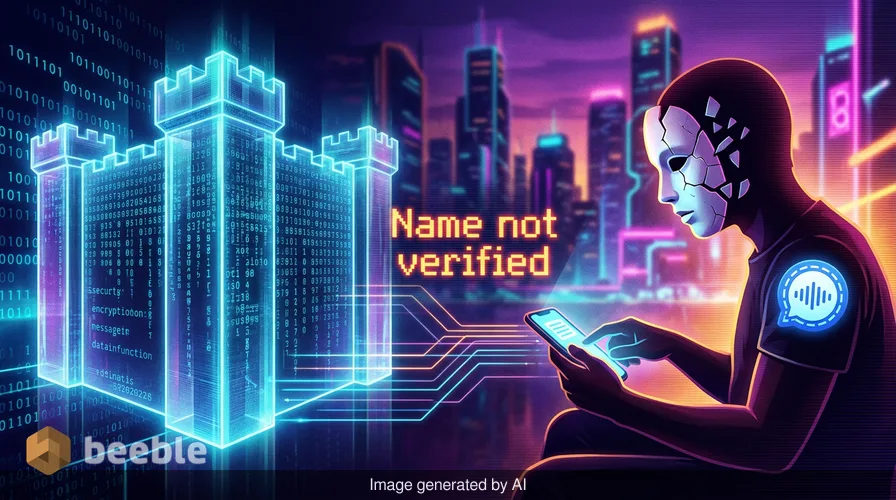
One of the most foundational changes is the 'Name not verified' label. Because Signal allows users to choose any display name and upload any photo, it’s remarkably easy to create a profile that looks official. Under the hood, Signal doesn’t have a central 'Blue Check' system like X (formerly Twitter) or a corporate directory. This is by design, to protect user anonymity. However, the new label alerts you when a name hasn't been cross-referenced with your own contact list or known entities.
Essentially, the app is now much more vocal about what it doesn't know. If you receive a message from 'Signal Security' but the app flags the name as unverified, the illusion of authority vanishes.
| Feature | How It Works | Why It Matters for You |
|---|---|---|
| Name Not Verified | Flags accounts using names that don't match your contact data. | Prevents 'official-looking' accounts from tricking you. |
| No Groups in Common | Highlights if you have zero shared social circles with a sender. | Acts as a red flag for cold-outreach scams. |
| Explicit PIN Warnings | A prompt that states Signal will never ask for your PIN. | Disrupts the most common account takeover tactic. |
| Expanded Safety Tips | In-app guidance on spotting common scam indicators. | Educates users without requiring them to read a manual. |
Curiously, Signal has also added a 'No groups in common' indicator. From a consumer standpoint, this is a subtle but powerful bit of context. If a stranger reaches out to you but doesn't share a single group chat with you, the likelihood that they are a legitimate contact drops significantly. It’s the digital equivalent of seeing a stranger standing on your porch who doesn't know anyone in the neighborhood.
The 'So What?' Filter: Why This Impacts You
Practically speaking, you might think these features are only for people in high-risk professions. But the truth is that scams are highly scalable. A scammer doesn't need to hack a CEO to make money; they just need to hijack five thousand regular accounts. Once an account is taken over, it can be used to scam the victim's friends and family, who are far more likely to trust a message coming from a known contact.
What this means is that Signal is shifting from a purely technical defense—encryption—to a psychological one. They are building 'useful friction.' In the world of user experience design, friction is usually considered the enemy. Companies want apps to be as streamlined and 'one-click' as possible. But in security, a little bit of friction is a lifesaver. By adding an extra confirmation step when accepting a message request, Signal is betting that a three-second delay is enough to make a user realize that 'Support' would never ask for a six-digit SMS code.
Behind the Jargon: The Transparency of Security
There is an inherent tension in building a decentralized, private platform. If the company knows nothing about you, how can they tell you who is 'real'? Signal is handling this by being transparent about the limitations of the platform. They aren't claiming to know who everyone is; they are giving you the tools to make that judgment yourself.
To put it another way, they are upgrading the digital crude oil of the 21st century—data—by making the metadata work for the user. By highlighting that a sender has no mutual connections, they are using the structure of your social network to build a protective fence around your inbox.
Looking back, we’ve seen this cyclical pattern before. Whenever a communication platform becomes popular because it's 'safe,' scammers flock to it precisely because users have lowered their guard. We saw it with WhatsApp, we saw it with Telegram, and now we are seeing it with Signal. The bottom line is that no amount of robust encryption can protect you if you are talked into giving away your credentials.
Moving Toward a More Resilient Inbox
As we navigate the landscape of 2026, the definition of 'tech support' is shifting. It’s no longer just about fixing bugs; it’s about defending the borders of the user’s attention and trust. Signal’s confirmation that 'more changes are on the way' suggests that these UI updates are just the beginning of a larger trend toward AI-driven or community-sourced threat detection.
For the average user, the takeaway is simple: trust the app’s warnings more than the sender’s profile picture. Technology can be a tireless intern, doing the heavy lifting of encryption and data transit, but it still needs a human supervisor to make the final call on who gets through the door.
Ultimately, your digital security is only as strong as your most impulsive 'Accept' click. These new protections aren't just features; they are a reminder to maintain a healthy level of skepticism in a world where everyone is just a screen name and a photo. Shift your perspective from seeing these prompts as annoying pop-ups to seeing them as a necessary digital deadbolt. By staying updated and enabling features like Registration Lock, you aren't just protecting your own chats—you’re helping maintain the integrity of the entire network.
Sources:
- Signal Messenger Official Blog: 'New Protections Against Impersonation'
- Cybersecurity & Infrastructure Security Agency (CISA): 'Social Engineering and Phishing Trends 2024-2026'
- Industry Report: 'The Evolution of Messaging Security and User Privacy'



See you on the other side.
Our end-to-end encrypted email and cloud storage solution provides the most powerful means of secure data exchange, ensuring the safety and privacy of your data.
/ Create a free account
