


Google Search Evolves: Gemini’s Canvas in AI Mode Now Available to All U.S. Users

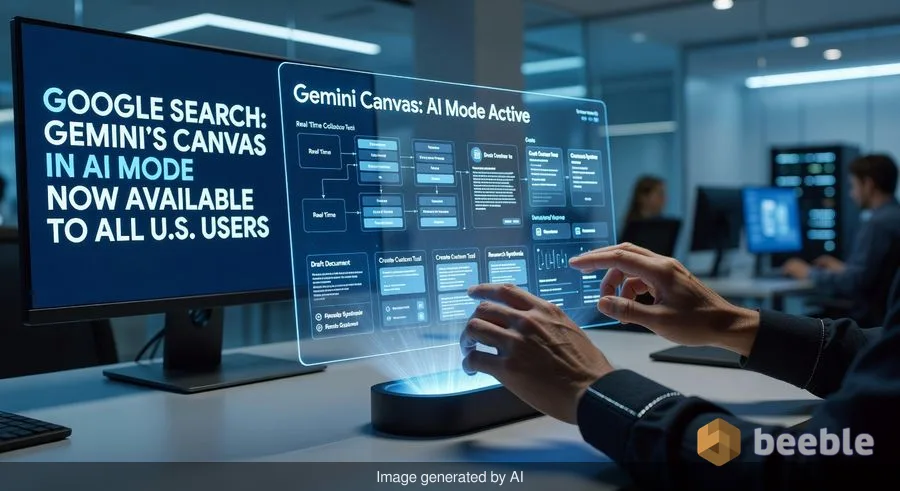
Google has officially transitioned one of its most ambitious Search experiments into the mainstream. Starting today, Canvas in AI Mode—a feature previously tucked away in the invite-only Google Labs—is rolling out to all users across the United States. This expansion marks a significant shift in how Google envisions the search engine: moving from a simple list of links to a dynamic workspace where users don’t just find information, but actively build with it.
For those who have followed the evolution of Gemini, Google’s flagship AI model, Canvas represents the bridge between a chatbot and a productivity suite. It is designed for the “heavy lifters” of the internet—students, researchers, and project managers who need to synthesize vast amounts of data into something actionable.
What is Canvas in AI Mode?
At its core, Canvas in AI Mode is a side-by-side workspace integrated directly into Google Search. Unlike the standard Gemini chat interface, which follows a linear, conversational thread, Canvas provides a persistent document area. As you research a topic, you can “pin” information to the canvas, ask the AI to draft sections of a report, or organize disparate notes into a cohesive structure.
Think of it as a digital whiteboard that understands the context of your research. If you are planning a complex home renovation, you can pull in search results about local building codes, material costs, and design trends. Instead of flipping between twenty open tabs, Canvas allows you to curate that data into a single project file that lives within the Search ecosystem.
From Research to Creation: Key Capabilities
Google has refined the tool significantly since its experimental phase. The current rollout includes several advanced features that blur the lines between search and software development:
- Custom Tool Creation: Users can now prompt the AI to build small, functional tools within the canvas, such as a custom calculator for specific financial projections or a specialized data-sorting script.
- Document Transformation: The feature can ingest raw data—like a messy pile of class notes or a technical white paper—and instantly reformat it into a structured study guide, a professional web page, or a quiz to test your knowledge.
- Multimedia Overviews: Borrowing a page from the popular NotebookLM playbook, Canvas can generate audio overviews of your research, essentially creating a personalized podcast based on the documents you’ve gathered.
How It Differs from NotebookLM
With the inclusion of audio overviews and document synthesis, many users have questioned where Canvas ends and NotebookLM begins. While both tools use Gemini’s multimodal capabilities, their intent differs. NotebookLM is a “research assistant” focused on grounded analysis of specific uploaded files. Canvas, however, is a “creation assistant” integrated into the live web.
| Feature | Gemini Canvas in AI Mode | NotebookLM |
|---|---|---|
| Primary Source | Live Google Search + Uploads | User-provided Documents |
| Best For | Planning, Drafting, Web Research | Deep Analysis, Fact-checking |
| Integration | Directly in Google Search | Standalone Web App |
| Output Focus | Tools, Web Pages, Project Plans | Summaries, Citations, Insights |
Practical Applications for Everyday Users
To get the most out of Canvas, it helps to approach it with a specific project in mind. Here are three ways to start using it today:
1. The Academic Power-User
Instead of just searching for "causes of the Industrial Revolution," you can upload your lecture notes and ask Canvas to create a comparative timeline. You can then instruct the AI to generate a practice exam based on the gaps in your notes compared to the top search results on the topic.
2. The Small Business Planner
If you are launching a new product, use Canvas to aggregate competitor pricing and market trends. You can ask the AI to draft a preliminary business plan on the right side of the screen while you continue to refine your search queries on the left.
3. The Content Creator
Turn a long-form research report into a series of social media posts or a structured blog outline. Because Canvas understands the context of the entire project, it can maintain a consistent tone across different formats, from a formal summary to a casual audio script.
Getting Started and Potential Pitfalls
Accessing the feature is straightforward: U.S. users will see a "Canvas" or "AI Mode" toggle within the Google Search interface when performing complex queries. However, as with all generative AI tools, there are a few things to keep in mind.
First, while the AI is adept at organizing information, the "hallucination" risk remains. Always verify critical facts, especially when the AI is synthesizing multiple sources into a new document. Second, privacy is paramount. While Google has implemented protections for Workspace users, individual users should be mindful of uploading sensitive or proprietary information into a public-facing AI tool.
What’s Next for Google Search?
This rollout suggests that Google is no longer content with being the starting point of a journey; it wants to be the destination. By integrating Canvas into the core Search experience, Google is positioning itself against “AI-first” competitors like Perplexity and OpenAI’s SearchGPT. The goal is clear: keep users within the Google ecosystem by providing the tools to not only find the world’s information but to do something meaningful with it immediately.
Sources:
- Google Keyword Blog: "Expanding Gemini's Reach in Search"
- Google Labs: "Project Tailwind and the Evolution of Canvas"
- TechCrunch: "Google's New AI Workspace Features Explained"
- The Verge: "How Gemini is Changing the Search Landscape"



See you on the other side.
Our end-to-end encrypted email and cloud storage solution provides the most powerful means of secure data exchange, ensuring the safety and privacy of your data.
/ Create a free account
