


The anatomy of a ClickFix attack: How malicious code hijacks your basic habits

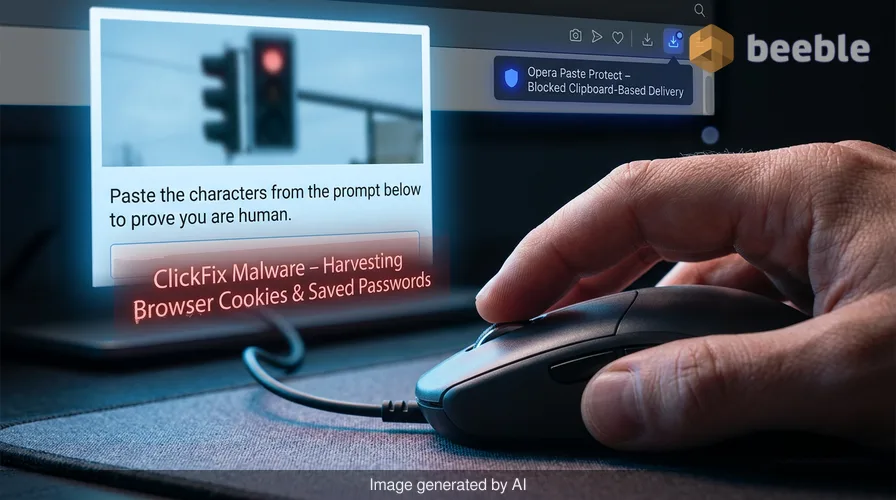
You are staring at a screen that says you are a robot. To prove your humanity, the website asks you to click a button, copy a string of characters, and paste them into a system prompt. This interaction feels familiar because the modern web is a series of small, repetitive chores. We click through cookie banners, solve puzzles to identify traffic lights, and grant permissions to microphones without a second thought. This mechanical muscle memory is the primary target of a new class of cyberattacks known as ClickFix.
Behind the screen, these attacks do not rely on zero-day exploits or complex buffer overflows. They rely on you. By the time you realize that the captcha was fake, a piece of malware is already harvesting your browser cookies and saved passwords. Opera recently announced Paste Protect, a native feature designed to break this cycle. It is the first major browser to integrate a defense system specifically targeting the clipboard-based delivery of malware. This update marks a shift in how browser developers view their role in the security chain.
The mechanism of a clipboard hijack
To understand why this is a threat, we must look at the hidden technical process of a ClickFix interaction. First, the malicious website creates a visual overlay that mimics a standard verification service. Behind the scenes, the site executes a JavaScript function when you click the "I'm not a robot" button. If you click that button, then the script automatically copies a malicious command to your system clipboard. This command is often a single line of code designed to run in a Windows command prompt or a terminal window.
Simultaneously, the website displays a set of instructions. It asks you to press the Windows key and R to open the Run dialog. It then tells you to paste the contents of your clipboard and press Enter. This process bypasses the security warnings that usually appear when you download an executable file from the internet. Because you are the one manually opening the system tool and pasting the command, the operating system assumes the action is intentional.
Technically speaking, the payload often utilizes a tool called mshta.exe. This is a legitimate Windows utility that executes Microsoft HTML Applications. If the command runs, it instructs the utility to download a remote script from a server controlled by the attacker. This script then installs an infostealer. These programs, like Lumma Stealer, are lightweight and silent. They do not crash your computer. They simply copy your login data and send it to a remote database.
Why the clipboard is a security blind spot
The clipboard is an invisible bridge between the isolated world of the web browser and the raw power of the operating system. Historically, browsers have allowed websites to write to the clipboard to improve user experience. A developer wants you to be able to copy a discount code or a shipping address with one click. This convenience creates a fundamental vulnerability in the software architecture of the web.
In everyday terms, your browser is a sandbox. It is designed to keep the code from a website away from your personal files. Paradoxically, the copy-paste function is a door in that sandbox. If a website can place code in your clipboard and convince you to run it, the sandbox becomes irrelevant. The attack succeeds because it leverages the trust you have in your own physical actions. You do not fear a command that you pasted yourself as much as you fear a file that downloaded automatically.
This trend reflects a broader evolution in the world of cybercrime. As operating systems become better at blocking unauthorized file executions, attackers shift their focus to social engineering. They no longer try to break the lock on the door. They simply convince the homeowner to let them in. ClickFix attacks accounted for more than half of all malware loading attempts in early 2025. This statistic shows that our habits are now a greater liability than our software.
How paste protect monitors the buffer
Opera's Paste Protect works by placing a filter on the clipboard write action. When a website attempts to copy data to your system, the browser checks the string against a database of known malicious patterns. If the script contains commands tailored for Windows, macOS, or Linux terminals, the browser blocks the action. It is a proactive guard that identifies the threat before it ever leaves the browser environment.
When a block occurs, the address bar displays a red icon. The browser also presents a warning dialog that shows the first 120 characters of the intercepted command. This transparency allows technical users to verify if the block is a false positive. Users have the option to mark specific sites as safe, but the default state is one of caution. By making Paste Protect active by default, Opera acknowledges that security must be a baseline rather than an opt-in feature.
Under the hood, this feature addresses the issue of digital friction. Usually, developers try to remove friction to make software feel seamless. In this case, Opera is intentionally adding friction to a dangerous process. This choice is a pragmatic response to the way we interact with the web. If the browser detects a malicious script, it forces you to stop and look at what you are doing. This moment of pause is often enough to break the spell of a social engineering trap.
The browser as an operating system sentinel
Zooming out to the industry level, we see that the browser is no longer just a window to the internet. It has become a primary layer of the operating system. Consequently, the responsibilities of browser developers are expanding. In the past, a browser only had to worry about rendering HTML and CSS correctly. Today, it must act as a sophisticated security monitor that understands the intent of the user.
This shift is necessary because the web is the primary interface for almost everything we do. We manage our finances, communicate with our families, and perform our jobs inside browser tabs. The browser holds the keys to our digital identities. This concentration of data makes it the most valuable target for criminals. If the browser fails to protect the clipboard, it fails to protect the user's entire digital life.
Through this user lens, Paste Protect is an admission that the web is a hostile environment. The era of the "neutral" browser is over. Companies like Opera are forced to take a side in the conflict between convenience and safety. While some might view these warnings as intrusive, they are a reaction to a reality where a single click can lead to total identity theft. The web remains a fragmented and often opaque network of scripts and trackers.
Reclaiming control over digital habits
The existence of ClickFix attacks is a reminder that technical debt exists in our habits just as much as it exists in our code. We have spent years training ourselves to be fast and efficient online. We value the seamless experience over the secure one. This preference is what attackers exploit. They turn our desire for speed against us by hiding malicious code inside a mundane task.
Digital literacy is not just about knowing how to use a computer. It is about understanding the mechanics of the tools we use every day. When you use a browser, you are participating in a complex exchange of data. Every click has a consequence. Opera's new feature provides a safety net, but it does not replace the need for a critical eye. A browser can block a script, but it cannot stop a user from being tricked by a sophisticated lie.
Ultimately, the fight against malware is a moving target. As browsers implement features like Paste Protect, attackers will find new ways to bypass them. They might try to use image-based instructions that the browser cannot read, or they might pivot to different system utilities. The underlying problem is the level of access we give to web-based content. Until we change how our operating systems handle commands from the clipboard, the browser remains our best line of defense.
Takeaways for the modern user
Navigating the web safely requires more than just updated software. It requires a change in perspective. Consider these points when you interact with your digital tools:
- Question any website that asks you to open a system tool like the Run dialog or Terminal. No legitimate captcha or verification service requires you to execute code on your own machine.
- Observe the address bar for security icons. Opera's red flag is a direct signal that a site tried to manipulate your clipboard in a suspicious way.
- Recognize that the clipboard is a shared space. What you copy in one app can be read by another, and what a website copies can affect your whole system.
- Evaluate your own digital friction. If a process feels too fast or too easy, it might be bypassing important security checks.
Software updates like Paste Protect are necessary home renovations for our digital lives. They fix the pipes and reinforce the walls, but the inhabitant must still be careful about who they let through the door. By understanding the anatomy of these attacks, we can move from being passive targets to being active participants in our own security.
Sources
- Opera Desktop Team, Official Release Notes for Paste Protect (June 2026).
- Seraph Secure Threat Analysis: The Rise of ClickFix Social Engineering.
- Microsoft Security Blog: Defending against mshta.exe abuse in web-based attacks.
- Cybersecurity and Infrastructure Security Agency (CISA), Report on Infostealer Trends and Clipboard Vulnerabilities.



See you on the other side.
Our end-to-end encrypted email and cloud storage solution provides the most powerful means of secure data exchange, ensuring the safety and privacy of your data.
/ Create a free account
