


The Best AI Dictation Apps of 2026: Tested and Ranked for Every Workflow

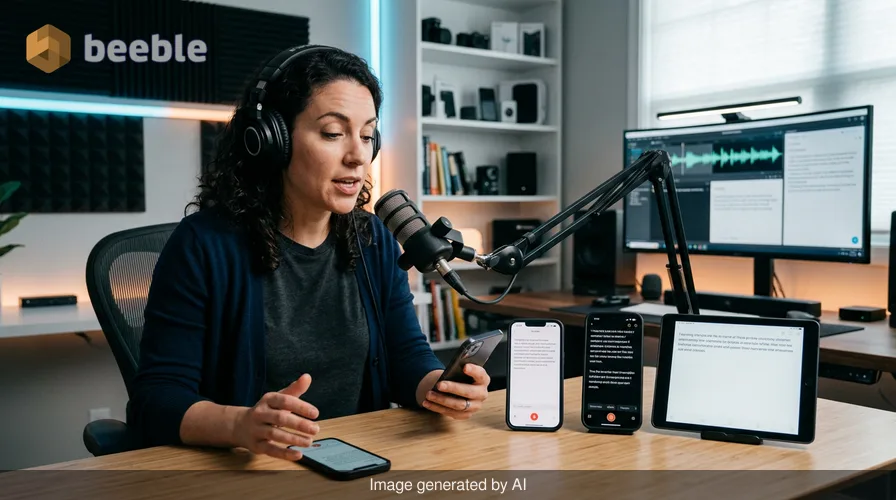
For decades, dictation was a chore of enunciation. If you didn't speak like a news anchor—slowly, precisely, and with every punctuation mark explicitly voiced—the resulting text was a chaotic jumble of phonetic errors. That era ended with the convergence of large language models (LLMs) and advanced neural speech recognition.
In 2026, the best AI dictation apps no longer just transcribe; they interpret. They recognize that a 'um' is a pause for thought and that a rambling sentence often needs a bit of structural help. These tools have transitioned from simple recorders into sophisticated editorial assistants. We have spent the last three months testing the leading contenders to find the best solutions for different professional needs.
The New Standard: Why 2026 Dictation is Different
The technological leap we’ve seen over the last two years is primarily due to the democratization of models like OpenAI’s Whisper and the integration of on-device neural engines. In the past, dictation was 'stateless'—the app only knew the word it was currently hearing. Today’s top apps are 'context-aware.' They use LLMs to look at the entire paragraph, correcting a word used at the beginning of a sentence based on the context provided at the end.
Furthermore, the 'Clean-Up' revolution has changed everything. Users no longer want a verbatim transcript of their stutters; they want a polished draft. The apps listed below represent the pinnacle of this evolution.
1. Best for Creative Thinking: AudioPen
AudioPen has carved out a unique niche that most competitors are still trying to replicate. It is not designed for verbatim transcription. Instead, it is built for 'thought dumping.'
You press record, ramble for five minutes about a project idea, and AudioPen uses its backend LLM to rewrite your spoken mess into a coherent, structured note. It ignores the filler words and the 'where was I?' moments, delivering a summary that sounds exactly like you—only more organized. For writers and executives who think out loud, it is the most friction-less way to get ideas onto a page.
2. Best for Privacy and Power: MacWhisper / Whisper Turbo
For those who handle sensitive data or prefer the speed of local processing, MacWhisper (and its mobile counterparts using the Whisper 'Turbo' architecture) remains the gold standard.
Unlike cloud-based services, these apps process your voice locally on your device's hardware. In our testing, the accuracy is nearly indistinguishable from professional human transcribers. Because it doesn't need to send data to a server, the 'latency'—the gap between speaking and seeing text—is virtually zero. If you are a lawyer, medical professional, or researcher, the combination of absolute privacy and high-speed accuracy makes this a mandatory tool.
3. Best for Meetings: Otter.ai
Otter.ai continues to dominate the collaborative space. While other apps focus on individual dictation, Otter is built for the ecosystem of a team. Its 2026 iterations feature 'AI Chat' capabilities that allow you to ask questions about a meeting while it is still happening.
If you join a call late, you can ask the sidebar, "What did I miss?" and receive a succinct summary of the previous ten minutes. It also excels at speaker identification, accurately tagging who said what even in rooms with multiple people talking over one another. It remains the essential choice for corporate environments where the transcript is just the starting point for action items and summaries.
4. Best for On-the-Go Professionalism: Notta
Notta has emerged as the most robust mobile-first platform. Its strength lies in its versatility across devices and its uncanny ability to handle technical jargon and multiple languages.
In our tests, Notta outperformed its peers when dealing with heavy accents and specialized terminology in fields like engineering and software development. It also offers a seamless 'Record-to-Task' pipeline, allowing you to sync your dictated notes directly into project management tools like Notion or Trello with a single tap.
Comparison of Top AI Dictation Apps
| App | Primary Strength | Privacy Level | Best For |
|---|---|---|---|
| AudioPen | Generative formatting | Cloud-based | Brainstorming & Journaling |
| MacWhisper | Local processing | High (On-device) | Privacy-conscious pros |
| Otter.ai | Real-time collaboration | Cloud-based | Meetings & Interviews |
| Notta | Multilingual & Workflow | Cloud-based | Fieldwork & Mobile users |
| Granola | Contextual scratchpad | Hybrid | Internal feedback sessions |
5. The Dark Horse: Granola
Granola is a newer entry that treats dictation as a layer on top of your existing notes. Instead of replacing your note-taking, it 'enhances' it. You type your own shorthand during a conversation, and the app uses the audio background to fill in the gaps later. It is perfect for those who find full transcripts overwhelming but want the security of knowing every detail is captured for reference.
Practical Takeaways: How to Choose
When selecting a tool, don't just look at the price tag. Consider your 'End Product' requirement:
- Do you want a script? Go with MacWhisper. It captures every word with meticulous fidelity.
- Do you want a blog post or email? Go with AudioPen. It saves you the time of editing your own rambles.
- Do you want a record of a group discussion? Otter.ai is the undisputed leader here.
- Are you worried about data leaks? Stick to on-device models that don't require an internet connection to function.
The Bottom Line
The frustration of 'fixing' dictation is becoming a thing of the past. In 2026, the challenge isn't finding an app that can understand you; it's choosing the one that best fits your specific output style. Whether you need a local, private powerhouse or a cloud-based meeting assistant, the current landscape offers tools that finally deliver on the promise of effortless speech-to-text.



See you on the other side.
Our end-to-end encrypted email and cloud storage solution provides the most powerful means of secure data exchange, ensuring the safety and privacy of your data.
/ Create a free account
