


The silent shift from social feed to streaming service

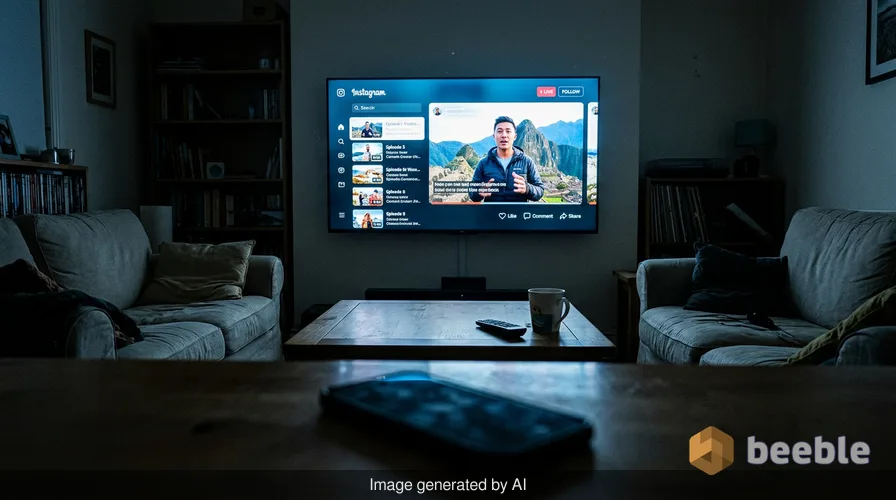
A few years ago, the idea of watching Instagram on a television felt like a mistake. The app was a vertical rectangle designed for one person and one thumb. If you tried to cast a video to a larger screen, the result was a narrow sliver of content flanked by massive black bars. It was a friction-filled experience that reminded the user that social media belonged in the pocket, while entertainment belonged on the couch. Today, that boundary is gone. Instagram is no longer just a gallery for filtered photos; it is a full-scale assault on the living room as the platform rolls out long-form, episodic, and live formats for its dedicated TV app.
Historically, Instagram prioritized the mobile-first experience to the point of exclusion. The square aspect ratio gave way to the 9:16 vertical format of Stories and Reels, which solidified the phone as the primary viewing device. Now, the company is re-engineering its core interface to support horizontal video and serialized content. This is a profound shift in software philosophy. The platform that once forced creators to adapt to the phone is now adapting its own code to suit the hardware of the home theater. Through this user lens, we see the transition from a distraction-based scroll to a destination-based viewing habit.
The architecture of horizontal transition
Technically speaking, the move to support horizontal video is more than a simple UI update. For years, the Instagram codebase was optimized for verticality. Every design decision, from how text overlays appear to how the discovery algorithm ranks content, was built on the assumption of a portrait orientation. Support for horizontal video requires a complete overhaul of the player architecture. This change allows Instagram to host content that looks at home on a Samsung or Google TV. The new TV app includes dedicated channels, which function as curated streams of content tailored to specific interests or creators.
In everyday terms, this means Instagram is building its own version of a cable grid. When you open the TV app, you do not just see a random assortment of clips. You see structured paths to comedy, sports, or specific series. This design choice addresses a common UX problem: decision fatigue. On a phone, the user is active and constantly scrolling. On a TV, the user is lean-back and passive. By introducing channels and serialized content, Instagram is mimicking the information architecture of YouTube and Netflix. This allows the company to capture the high-value attention of a group of people sitting together in a living room.
Breaking the vertical barrier
Paradoxically, the very thing that made Instagram successful—its rigid adherence to vertical video—is now the hurdle it must clear to grow. The recent rollout of the "Series" feature for Reels is a clear sign of this evolution. This tool allows creators to organize their videos into chronological episodes. From a developer's standpoint, this is a metadata shift. Instead of treating every video as an isolated unit in a feed, the database now recognizes a parent-child relationship between videos in a series. This makes it easier for a TV app to offer a "Next Episode" button, a staple of the streaming era.
I recently observed a friend trying to navigate the new TV interface on an Amazon Fire stick. On an individual level, the experience is significantly more intuitive than previous versions. In the past, casting a Reel from a phone to a TV was clunky and often resulted in dropped connections or laggy playback. Now, the app supports native casting of Reels and Saved tabs. This integration is a classic example of ecosystem lock-in. Meta wants to ensure that if you find a video you like on your commute, you can finish it on your big screen when you get home. The software architecture is being built to follow the user across every device they own.
The technical debt of the living room
Expanding an app from a 6-inch screen to a 65-inch screen introduces significant technical debt. Mobile apps are designed for touch interactions, where every button is within reach of a thumb. TV apps rely on D-pad navigation, where every movement is a discrete click of a remote. Under the hood, this requires a complete rethink of focus management within the app's code. A developer must define exactly what happens when a user presses "right" or "down" on a remote. If this logic is not robust, the app feels sluggish and difficult to use.
Behind the screen, Instagram is also dealing with the challenge of bitrates and resolution. Vertical Reels are often compressed for quick loading on mobile data. However, those same files look pixelated and amateur on a 4K television. To compete with Netflix, Instagram must serve higher-resolution video files without causing buffering issues. This requires a more complex content delivery network and better adaptive streaming protocols. The goal is a seamless experience that feels as professional as a high-budget documentary or a live sports broadcast.
From social graph to interest graph
Zooming out to the industry level, this move reflects a change in how Meta views its competition. For a decade, the enemy was Twitter or Snapchat. Today, the enemy is YouTube and Amazon Prime Video. Instagram is moving away from a social graph, where you see what your friends post, and toward an interest graph, where you see what the algorithm thinks you will enjoy. The TV app is the ultimate expression of this shift. It is a space where the creator is the star and the viewer is the audience.
Curiously, this shift also changes the nature of the content itself. Short, punchy Reels are great for a 30-second wait in a grocery line. They are less effective for a 30-minute session on the couch. By encouraging longer-form, episodic content, Instagram is asking creators to invest more in production value. This leads to a more curated and less spontaneous platform. The fragmented nature of the old Instagram is being replaced by a more streamlined, professionalized media environment. Consequently, the line between an "influencer" and a "showrunner" is becoming increasingly thin.
The battle for the remote
Ultimately, Instagram's ambitions in the living room are about ad revenue. Advertisers pay a premium for TV placements because the engagement is higher and the screen is larger. By bringing Stories and Reels to the TV app, Meta is creating new inventory for high-value video ads. In practice, this means your TV will soon serve you the same personalized ads you see on your phone, but in a format that looks like a traditional commercial. This is the monetization of the lean-back experience.
| Feature | Mobile Experience | TV App Experience |
|---|---|---|
| Orientation | Vertical (9:16) | Horizontal and Vertical Support |
| Navigation | Touch-based Scrolling | D-pad Remote Navigation |
| Content Length | Short-form (Reels/Stories) | Long-form and Episodic Series |
| Viewing Mode | Active/Lean-forward | Passive/Lean-back |
| Ad Format | Interstitial Feed Ads | Full-screen Video Commercials |
From a programmer's perspective, the TV app is a way to bridge the gap between two different software worlds. It combines the data-rich environment of social media with the high-fidelity presentation of traditional broadcast. The addition of horizontal support is a pragmatic admission that the vertical-only experiment has reached its limits. To grow further, Instagram must occupy the spaces where people spend their most focused time. The TV is the final frontier for an app that started as a way to share photos of coffee.
Reclaiming the screen
As users, we often treat software updates as inevitable weather patterns. We wake up, the icon has changed, and we adapt our habits to the new layout. However, the shift toward an Instagram TV app is a choice that dictates how we spend our leisure time. When a social media app moves to the TV, it is no longer a tool for connection. It is a tool for consumption. We are no longer checking in on our network; we are tuning in to a broadcast.
We should observe our own digital friction as these updates roll out. If an app feels bloated or difficult to navigate, it is often because the software is trying to be too many things at once. Instagram is attempting to maintain its status as a social network while also becoming a streaming giant. This duality creates a complex user experience that requires us to be more conscious of our digital consumption. We can choose to engage with the serialized content and the horizontal videos, but we must recognize that the code is designed to keep us on the couch for as long as possible. The remote is in our hands, but the interface is designed by Meta.
Sources:
- Meta Newsroom: Updates on Instagram TV and Series features.
- Instagram Engineering Blog: Architectural shifts in video playback.
- Samsung Global Newsroom: Partnership details for the Instagram TV app.
- Developer documentation for Amazon Fire TV and Google TV app development.



See you on the other side.
Our end-to-end encrypted email and cloud storage solution provides the most powerful means of secure data exchange, ensuring the safety and privacy of your data.
/ Create a free account
