
Why Is OpenAI Giving Up on the Browser War to Move Into Your Toolbar?

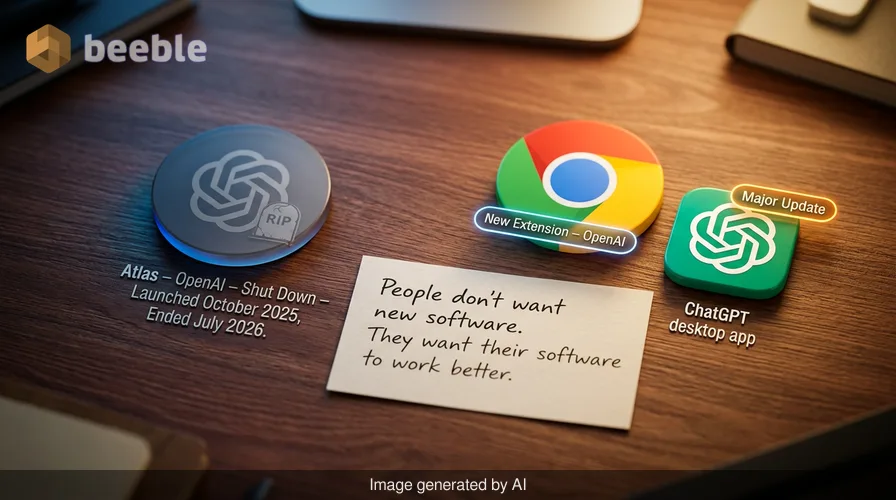
Why would a company worth billions of dollars kill off its most ambitious window to the internet just months after launching it? This is the question facing OpenAI as it shuts down Atlas, the standalone AI browser it introduced only last October. For a short time, Atlas represented a bold attempt to change how we interact with the web. It placed ChatGPT at the center of the experience, suggesting that the traditional browser was an outdated relic. Now, that experiment is over.
This shift indicates a significant change in how tech giants view the future of artificial intelligence. OpenAI is not retreating from the web. Instead, it is changing its tactics. The company is taking the specialized tools it built for Atlas and moving them into places where people already spend their time. This means a new Google Chrome extension and major updates to the ChatGPT desktop app. This move reflects a practical reality in the tech world. Most people do not want to switch their entire digital life to a new piece of software. They want the software they already use to work better.
The rise and fall of the side quest
To understand why Atlas is disappearing, we have to look at how OpenAI manages its massive list of projects. For a long time, the company seemed to release new tools every few months. These included video generators, search engines, and browsers. However, internal priorities have shifted. Fidji Simo, who led application development at OpenAI, recently advised the team to stop focusing on side quests. This phrase refers to projects that consume time and money but do not support the core mission of the company.
Atlas is the second major victim of this new focus. Earlier this year, OpenAI also paused work on Sora, its much-hyped video-generation tool. These decisions show a company that is trying to become more efficient. Building and maintaining a web browser is a monumental task. It requires constant security updates, compatibility fixes for millions of websites, and a way to convince users to leave their current habits. By killing Atlas, OpenAI can focus its resources on its most successful product: ChatGPT.
Moving the intern into your existing office
Think of your web browser as your digital office. For years, companies like Google and Microsoft have owned the buildings. When OpenAI launched Atlas, it tried to build a whole new office complex and convince you to move. It turns out that moving is a hassle. Most users are happy with their current office; they just want a better assistant.
In this analogy, AI is like a tireless intern. Instead of asking you to move to a new building, OpenAI is now sending that intern to sit at your current desk. This is what the new Chrome extension represents. It is a streamlined tool that lives inside the browser you already know. It can see what you are looking at, read your emails, or help you fill out forms. This approach is much more scalable because it removes the friction of switching apps.
How the new Chrome extension works
OpenAI has launched a ChatGPT extension for Google Chrome that changes the dynamic of web browsing. For the average user, this means the AI has context. If you are looking at a complex technical manual, you no longer have to copy the text and paste it into ChatGPT. You simply click the extension and ask a question.
This tool is a direct response to Google's own Gemini Side Panel. Both tools allow you to summarize articles, find specific data in a long page, or draft replies to messages. However, OpenAI is betting that its underlying models are more intuitive for complex tasks. The extension acts as an interconnected bridge between your active web page and the full power of the ChatGPT ecosystem.
The desktop app becomes a continuous workspace
While the Chrome extension handles light tasks, the ChatGPT desktop app is receiving a much deeper upgrade. It now has a sturdy browser environment built directly into the interface. This allows users to browse websites, log into their personal accounts, and download files without ever minimizing the app.
This is where the concept of agentic browsing becomes tangible. An agent is an AI that can perform a series of steps to reach a goal. For example, if you ask the AI to find a flight, book a hotel, and add the itinerary to your calendar, it needs to navigate several different websites. The new internal browser allows the AI to do this work.
To ensure security, OpenAI uses a separate cloud browser that runs on its remote servers. This acts as a digital sandbox. When an AI agent goes out to perform a task for you, it does so in this remote environment. This protects your actual computer from potential threats and ensures that the AI has a stable place to work.
Comparing the current AI browsing options
The market for AI-powered browsing is becoming crowded. Each company has a slightly different philosophy on how the technology should function.
| Feature | OpenAI (Extension/App) | Google Chrome (Gemini) | Perplexity (Comet) |
|---|---|---|---|
| Primary Goal | Task completion and agents | Contextual search and help | Real-time information discovery |
| Where it lives | Desktop app and Chrome | Built directly into Chrome | Standalone web interface |
| Core Strength | Handling long workflows | Deep integration with Google Docs | Fast, cited answers |
| Login Access | Can log into sites for you | Restricted to Google accounts | Primarily public web access |
| Status | Emerging/Beta | Available to all | Available to Pro users |
| n |
Why the browser war is shifting to the toolbar
Historically, the browser was the most important piece of software on a computer. It was the gateway to everything. This is why Google paid billions of dollars to be the default search engine on iPhones and why Microsoft fought so hard to keep Edge relevant. If you own the browser, you own the data and the user's attention.
However, the rise of AI is making the browser itself less important. The value is shifting toward the layer of intelligence that sits on top of the web. This is a decentralized model of browsing. Instead of going to a specific destination to find information, the information comes to you through your AI assistant. OpenAI's decision to fold Atlas into a feature shows they believe the future is about integration, not isolation.
Privacy and the cost of convenience
From a consumer standpoint, these updates are helpful but come with questions about transparency. For an AI to summarize a page or help you with a task, it must be able to read what is on your screen. This creates a massive amount of data. When you use the Chrome extension, you are essentially giving OpenAI a window into your private browsing sessions.
OpenAI has stated that the data used by agents in the cloud browser is handled with high security standards. However, the shifting nature of these tools means users must stay vigilant. When an agent logs into a site for you, it is handling your credentials. This is a major leap in trust compared to just asking a chatbot to write a poem.
What this means for your daily habits
Practically speaking, the death of Atlas means you do not have to learn a new interface. You can keep using Chrome or Safari while benefiting from OpenAI's latest research. Looking at the big picture, we are moving away from a world where we "search" for things and toward a world where we "delegate" things.
In everyday life, this might look like your AI assistant checking your bank balance, comparing it against a bill you just received in your email, and drafting a payment schedule. All of this happens because the AI can now see and interact with the web just as a human does. The browser is no longer a place you go; it is a tool your AI uses to serve you.
Ultimately, the end of Atlas is a sign of maturity for OpenAI. The company is learning that to win the tech race, it must meet users where they already are. By turning ChatGPT into a continuous workspace that spans your browser and your desktop, they are making AI an invisible backbone of your digital routine.
Sources: OpenAI product announcements, Instacart corporate leadership archives, Google Gemini technical specifications, and Perplexity AI development logs.



See you on the other side.
Our end-to-end encrypted email and cloud storage solution provides the most powerful means of secure data exchange, ensuring the safety and privacy of your data.
/ Create a free account