


Why more multitasking tools make our digital lives feel more fragmented

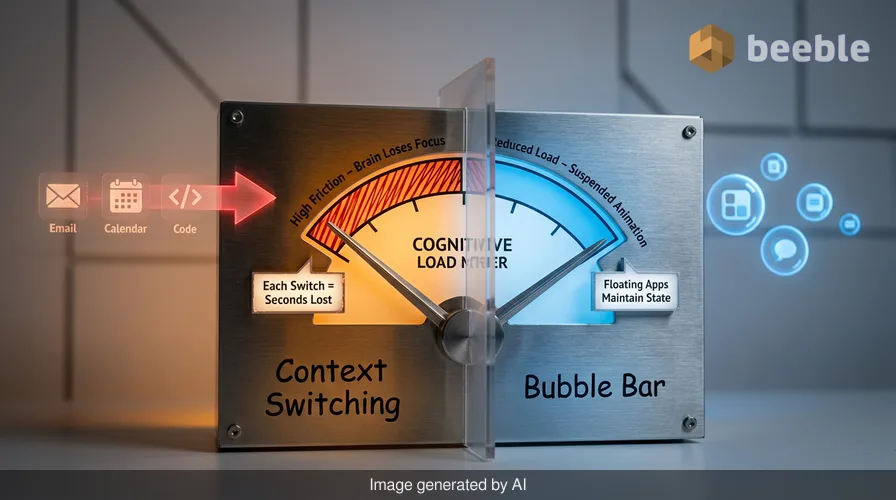
You are midway through a work email when a notification from a project management app appears. You tap a small circular icon at the base of your screen. The app slides into view without replacing your draft. You check the deadline, swipe the icon away, and return to your sentence. This is the bubble bar, the primary interface change in Android 17. It is a tiny, persistent element that manages recent apps as floating bubbles. To a casual user, it is a convenience. To a software designer, it is a response to the fact that we no longer use one app at a time. We live in the spaces between apps, and Google is trying to build a bridge across those gaps.
Zooming out to the industry level, this interface change is a response to the growing density of our mobile workflows. Historically, mobile operating systems were launchers. They were digital filing cabinets where you opened a drawer, did a task, and closed it. But as mobile hardware grew more powerful, the software became a messy closet of half-finished tasks and background processes. The bubble bar is a pragmatic attempt to organize this chaos. It acknowledges that the mental cost of context switching is the primary friction in modern computing. Every time you leave an app to check a code or a date, your brain loses a few seconds of focus. By keeping these apps in a state of suspended animation at the bottom of the screen, Android 17 attempts to reduce that cognitive load.
The operating system as a creative agent
Android 17 marks a shift where the operating system is no longer a passive platform. It is now a proactive agent. This is most visible in the expansion of Gemini features. Gemini Omni now allows you to edit videos within a conversation. You do not need to know how to use a timeline or a color grader. You describe the change you want. This is a move toward declarative computing. In this model, the user defines the outcome, and the software handles the execution. Lyria 3 follows a similar logic for music. You provide a text prompt or an image, and the system generates a track. This moves the technical debt of creativity from the human to the machine.
Technically speaking, these features rely on massive multimodal models that process different types of data simultaneously. AudioLM on the Pixel 10a provides speech-to-speech translation that feels less like a machine and more like a fluid conversation. This is a significant leap from the fragmented translation tools of the past. In everyday terms, the phone is becoming a universal translator that understands the nuances of human speech. This level of integration requires a tight bond between the silicon and the software. It is why Google uses its own Pixel devices to debut these tools. They are the reference architecture for what an AI-first operating system should be.
Breaking the walls of the digital garden
One of the most surprising additions in the latest Pixel Drop is the compatibility between Android Quick Share and Apple AirDrop. This feature is currently limited to older Pixel 8a and 9a devices. Paradoxically, as ecosystems become more proprietary, the pressure for interoperability grows. Users are tired of digital friction caused by corporate rivalries. When you cannot send a high-resolution photo to a friend because they have a different brand of phone, it feels like a failure of the technology. By making Quick Share work with AirDrop, Google is acknowledging that a device is only as useful as its ability to communicate with others.
This move toward interoperability is a pragmatic choice in a fragmented market. It reduces the ecosystem lock-in that has defined the last decade of mobile computing. However, this openness is selective. The most advanced Gemini Intelligence features are still tied to Google’s own services and hardware. This creates a tiered experience. You can share files with anyone, but the deepest levels of personal intelligence remain within the Google cloud. This is the modern walled garden. The walls are not made of stone; they are made of data and proprietary algorithms.
The watch as a vital sensor hub
Wear OS 7 brings the same philosophy of proactive assistance to the wrist. The new emergency detection features are a clear example of this shift. If the watch detects a car crash or a lack of pulse, it contacts emergency services. This is the operating system acting as a silent guardian. It is invisible until the moment it is needed. This type of functionality is what makes a smartwatch more than just a notification mirror. It is a biological sensor that connects your physical state to the digital grid.
Under the hood, these features require sophisticated sensor fusion. The watch must distinguish between a hard fall and a vigorous workout. It must filter out the noise of daily life to find the signal of a genuine emergency. This requires a level of processing power that was once reserved for desktop computers. Google claims that Wear OS 7 also delivers a 10% improvement in battery life. This is a necessary trade-off. As we add more background monitoring and live updates from phone apps, the energy cost rises. If the watch dies before the end of the day, all its advanced safety features are useless.
Privacy and the cost of intelligence
As software becomes more personalized, the risks to privacy increase. Android 17 addresses this with improved parental controls and security tools. You can now set screen time limits and content filters with a simple PIN. You do not need to link a Google account for these basic functions. This is a win for digital literacy. It gives parents a way to manage their children’s digital habits without forcing them into a massive data-harvesting ecosystem. The Find Hub also adds a "Mark as Lost" feature and Live Threat Detection to protect against malware.
Through this user lens, we see a conflict. We want the convenience of personal intelligence, but we fear the surveillance it requires. Google’s solution is to move more of the processing on-device. Features like the selfie reaction recording for social media happen locally. This allows you to create content without sending every frame of your face to a server. However, the overarching trend is clear. The more the OS knows about you, the better it can serve you. This is the fundamental bargain of the modern web. We trade our data for a more seamless experience.
The technical reality of multitasking
From a developer's standpoint, the new foldable gaming mode is a study in responsive design. It offers a 50/50 layout with a dynamic game pad. This is not just a cosmetic change. It requires the app to redrawn its entire UI on the fly as the device unfolds. This is a complex engineering task. It involves managing state across different screen configurations and ensuring that the game pad is responsive. This type of flexibility is becoming the standard for high-end mobile devices.
In practice, this means developers must move away from fixed layouts. They must embrace a more fluid approach to software architecture. The era of designing for a single screen size is over. Now, an app must be able to live as a bubble, a split-screen window, a watch notification, or a full-screen immersive experience. This adds to the technical debt of maintaining an app, but it is the only way to stay relevant in a multi-device world. The software is no longer a static product. It is a liquid that fills the container of whatever hardware the user is holding.
Reclaiming control over the interface
Ultimately, Android 17 and Wear OS 7 are about reducing the friction of our digital lives. Whether it is a bubble bar for multitasking or a translation tool that works in real time, the goal is to make the technology disappear. We want the results without the effort. But as the software becomes more automated, we must be careful not to lose our agency. When the OS generates our music, edits our videos, and manages our conversations, what is left for the human?
We should view these new tools as an invisible city infrastructure. They are the pipes and the power lines that make our digital life possible. When they work well, we don't notice them. But we should not forget how to navigate the city on our own. Use the bubble bar to be more productive, but do not let the bubbles dictate your attention. Use the AI to translate a conversation, but do not let it replace the effort of learning about another culture. The best software is the kind that empowers us to do more, rather than the kind that does everything for us. Digital literacy in 2026 is about knowing when to use the automation and when to turn it off.
Sources:
Google Developer Documentation for Android 17 and Wear OS 7
Pixel Feature Drop Release Notes (June 2026)
Android Open Source Project (AOSP) Repository Updates
Google AI Blog on Lyria 3 and AudioLM Research
Internal UX Design Guidelines for the Android Bubble Bar Interface



See you on the other side.
Our end-to-end encrypted email and cloud storage solution provides the most powerful means of secure data exchange, ensuring the safety and privacy of your data.
/ Create a free account
