


Why the Blinking Terminal Cursor Explains the New Era of Open-Source AI

You press return. The cursor blinks. White text spills rapidly across a stark black background. You have just successfully deployed Hermes, the open-source agent that crossed 100,000 GitHub stars in a mere ten weeks, and it is faithfully responding to your first prompt. It remembers your instructions, it executes the command, and it even begins to formulate a new skill on its own. But as you sit there staring at the raw, unformatted text streaming down the terminal window, a distinct sense of anticlimax begins to set in. How could a system so computationally profound, a piece of software capable of spawning autonomous subagents, look so visually primitive? Why does a breakthrough in artificial intelligence leave you interacting with the exact same clunky interface that programmers used in the 1970s?
Zooming out to the industry level, this absence of a built-in graphical interface is not a missing feature, but rather a deliberate and profound shift in how modern software is built. For the last decade, tech giants have conditioned us to expect proprietary software wrapped in seamless, walled-garden interfaces—applications where the underlying engine and the user interface are permanently fused together. But in the open-source ecosystem, developers are increasingly decoupling the "brain" from the "face." Think of it like building a house: the core Hermes agent is the concrete foundation and the plumbing. It is robust, invisible, and strictly utilitarian. By refusing to dictate what the interior design should look like, the creators of Hermes left a vacuum. Consequently, a vibrant community of developers rushed in to build the walls, paint the rooms, and install the windows, creating user-interface wrappers at a pace that would embarrass most funded startups.
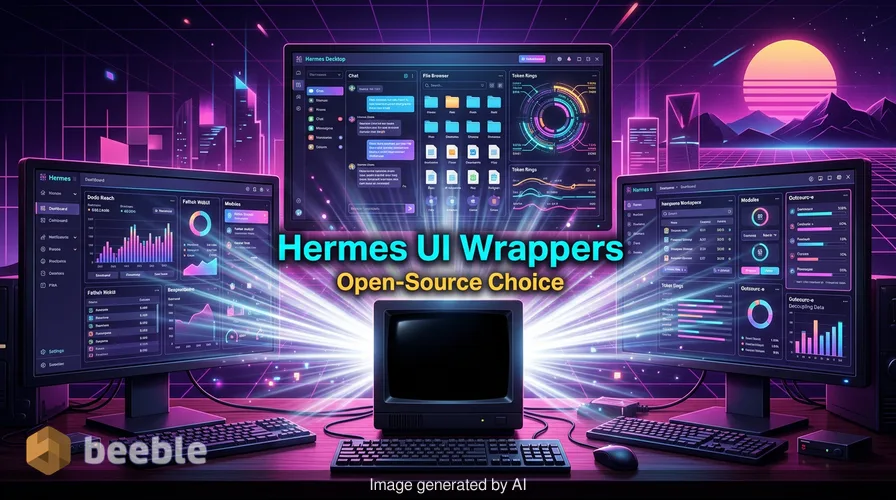
If you are tired of the terminal, you do not have to stay there. None of these community solutions require patching or forking the core agent itself. Here is a breakdown of the four best graphical wrappers currently redefining the Hermes experience, and what their unique architectures reveal about the future of user experience.
The Infrastructure Monitor: Hermes Desktop by Dodo Reach
If you view software through a highly pragmatic lens, treating your AI agent not as a chatbot but as a piece of system infrastructure, Dodo Reach’s approach will instantly resonate.
This wrapper feels less like a chat interface and more like a native macOS companion. Behind the screen, it does not rely on a middleman gateway layer or an invisible sync process that slowly drifts out of alignment with your server. Instead, it connects via SSH—the exact same secure shell protocol Hermes already uses natively. When you open a session, manage a cron job, or review token usage, you are looking at live, unvarnished data from the host machine.
From a developer's standpoint, the UX decisions here are fascinating. There is no chat bubble interface at all. You still type your prompts into an embedded, multi-tabbed terminal. But surrounding that terminal is a transparent dashboard of your active profiles, memory files, and a library of skills. It allows you to edit your USER.md, MEMORY.md, and SOUL.md directly, performing a remote conflict check before saving to prevent you from corrupting the agent's core identity.
To install it, you simply download the universal build from their GitHub Releases page and move it to your Applications folder. Because the tech industry's security protocols are increasingly rigid, macOS Gatekeeper will flag the app as unnotarized; simply right-click and select "Open" to bypass the warning. It requires SSH access to the machine running Hermes, and nothing else.
The Onboarding Fast-Track: Hermes Desktop by Fathah
Curiously, another project shares the exact same name but adopts a completely divergent philosophy. While Dodo Reach targets the system administrator, Fathah’s Hermes Desktop is designed to eliminate the friction of technical debt entirely.
In everyday terms, this is the wrapper you hand to a friend who has never opened a command line in their life. Where other wrappers assume you have already configured the underlying foundation, Fathah's version pours the concrete for you. Double-click the cross-platform application (available for macOS, Windows, and Linux), and it silently runs the official Hermes install script, handles the API provider setup, and drops you into a highly intuitive chat interface.
Once inside, the feature set rivals any commercial platform. It tracks tokens per conversation, supports 22 slash commands, and includes a visual persona editor. More importantly, it integrates with 16 messaging gateways, allowing your agent to communicate seamlessly across Telegram, Slack, WhatsApp, and Signal. You can switch models from the UI—whether bouncing between OpenRouter, Anthropic, local Ollama endpoints, or Grok—without ever touching a configuration file.
Setup is streamlined. Download the OS-specific build from GitHub. Windows users will need to click "More info" and "Run anyway" when SmartScreen complains about unsigned code, while Fedora Linux users may need to append --nogpgcheck if their system enforces strict GPG signatures.
The Transparent Workbench: Hermes WebUI by Nesquena
Technically speaking, Nesquena’s browser-based WebUI is a masterclass in stripping away bloated software dependencies. In an era where web applications are often bogged down by heavy frameworks and convoluted build steps, this project relies purely on Python and vanilla JavaScript.
If Claude's interface had a resilient, open-source twin that ran entirely on your own hardware, it would look exactly like this. The layout is a clean three-panel workspace: sessions on the left, the core chat in the center, and a file browser on the right. A circular token ring elegantly displays your context window usage, providing cost estimates on hover.
What makes this wrapper stand out is its deep integration with the agent's internal logic. You can toggle Hermes' thinking speeds—switching between fast responses and extended reasoning modes—directly from the composer. When the agent engages in deep reasoning, the output is displayed in collapsible, gold-themed cards, demystifying the opaque "black box" of machine learning. Themes are handled via pure CSS, meaning you can switch to an OLED-friendly pure black mode by simply typing /theme dark.
Installation requires a brief visit to the terminal to clone the repository (git clone https://github.com/nesquena/hermes-webui.git) and run a single python3 bootstrap.py command. It spins up a local server on port 8080. If Hermes isn't installed yet, the script detects the absence and installs it for you.
The Ubiquitous Dashboard: Hermes Workspace by Outsourc-e
Ultimately, Hermes Workspace is the most ambitious project of the bunch, and the one that best illustrates how open-source communities can out-design proprietary tech giants. Born out of the Nous Hackathon 2026, it is widely considered the de facto standard for a complete graphical experience.
Visually, the Workspace is striking. It ships with eight polished themes that make mainstream commercial interfaces look dated by comparison. It features a memory browser, a live skills manager, and an agent inspector. But the true paradigm shift lies in its architecture. It supports a Progressive Web App (PWA) deployment accessible via Tailscale. In practice, this means you can save the interface to your smartphone's home screen, connect securely to your home server, and watch your agents spawn subagents in real-time while you sit on the couch.
The trade-off for this ubiquitous access is a steeper setup curve. It requires the Hermes gateway running on port 8642 and a properly configured .env file containing your API URLs. While you can use their one-liner installation script (curl -fsSL https://raw.githubusercontent.com/outsourc-e/hermes-workspace/main/install.sh | bash), unlocking the full dashboard experience requires about an hour of intentional configuration.
A New Blueprint for Digital Tools
| GUI Wrapper | Primary Vibe | Standout Feature | Setup Complexity |
|---|---|---|---|
| Dodo Reach | Native Mac Inspector | Direct file editing via SSH | Low |
| Fathah | Cross-Platform Chat | Auto-installer & Gateway sync | Zero |
| Nesquena | Lightweight Web Workbench | Live reasoning cards | Low |
| Outsourc-e | Professional Dashboard | Mobile PWA via Tailscale | Moderate |
When we buy into closed ecosystems, we accept that the company who builds the engine also dictates exactly how we are allowed to drive the car. We endure feature creep, unwanted UI updates, and shifting navigational menus because we have no other choice.
But the Hermes wrapper ecosystem invites us to change our relationship with the software we use daily. By separating the underlying intelligence from the visual interface, open-source architecture gives you the ultimate luxury: choice. You can monitor your agent like a server administrator, chat with it like a friend, or command it from a mobile web app. The next time you find yourself frustrated by a mandatory update to a commercial app, remember that the future of software doesn't have to be a walled garden. Sometimes, you just need to pour the foundation, and decide for yourself what the house should look like.
Sources:
- Nous Research / Hermes Agent GitHub Repository and Release Notes (May 2026)
- The
awesome-hermes-agentCommunity Directory - Developer Documentation for Dodo Reach, Fathah, Nesquena, and Outsourc-e WebUI/Workspace projects
- Apple macOS Gatekeeper Security Guidelines



See you on the other side.
Our end-to-end encrypted email and cloud storage solution provides the most powerful means of secure data exchange, ensuring the safety and privacy of your data.
/ Create a free account
