


Will your iPhone finally start doing your digital chores for you?

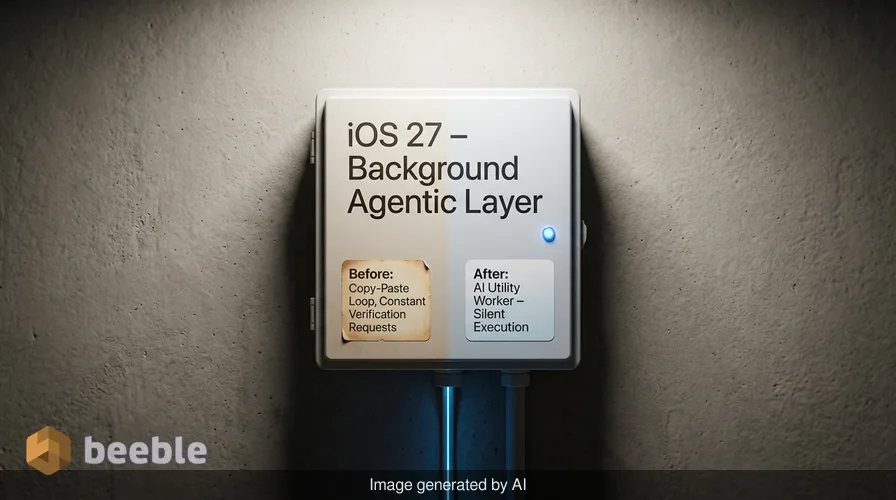
Have you ever wondered why your smartphone still requires you to act like a manual bookkeeper just to split a dinner bill? For years, the promise of mobile technology was that it would handle the minutiae of our lives. Yet, we still spend hours every week copy-pasting verification codes, resetting compromised passwords, and digging through emails for flight confirmation numbers. The newest software update for the iPhone, iOS 27, suggests that Apple is moving away from the idea of AI as a chatty bot and toward a vision where software acts as a quiet utility worker in the background.
While the flashy headlines from the recent Worldwide Developers Conference focused on a smarter Siri, the real impact for the average user lies in a series of smaller, practical adjustments. These features do not ask you to learn a new way to interact with your phone. Instead, they try to fix the friction in the apps you already use every day. This shift marks a transition in the industry from generative AI that creates art or text to agentic AI that performs specific, boring tasks on your behalf.
The end of the awkward restaurant bill calculation
Practically speaking, one of the most relatable frustrations is the moment a restaurant bill arrives at a table of six people. Historically, this involves one person opening a calculator app while others try to remember if they ordered the appetizers. With the introduction of iOS 27, the iPhone has a built-in solution for this through Apple Cash. This tool uses the camera to scan a physical receipt and extract every line item.
Under the hood, the software identifies specific text strings to separate the price of a burger from the tax and the suggested tip. It then allows you to assign specific items to specific people in a group chat. If you shared a pizza with a friend, you can even select a half-portion for each person. Once everyone confirms their share, the system sends out the payment requests automatically. This is a tangible example of how machine learning takes over a high-friction task without requiring the user to understand the underlying code. It turns the phone into a tool for social coordination rather than just a screen for scrolling.
Automating the headache of password security
Data breaches are now a regular occurrence in the modern digital economy. Even if you use a password manager to create complex strings of characters, your information is still at risk if a company server is compromised. In the past, when you received a notification that your password was part of a leak, you had to manually visit the website, find the security settings, and generate a new key. Most people ignore these warnings because the process is tedious.
In iOS 27, the Passwords app becomes an active agent. It has the ability to navigate websites and change passwords for you. When the system identifies a weak or leaked password, it asks for permission to fix the issue. If you agree, the software logs in to the site, creates a new secure password, and updates your records without you ever seeing a login screen. This is a shift from a passive database to an active security guard. By handling the navigation of complex web interfaces, the AI removes the human effort required to maintain digital hygiene. This change is foundational for long-term privacy as it ensures that security is the default state rather than a chore for the user.
Turning text messages into a functional dashboard
Most of us spend the majority of our time in the Messages app, yet the app has historically been a static stream of text. The new one-tap suggestions change this by treating your conversations like a source of data for your other apps. If a family member asks you to pick up groceries, the phone identifies the intent of that message and offers a button to add it to your Reminders.
Looking at the big picture, this is about reducing the mental load of switching between apps. If someone asks for photos from last weekend, the phone already has those photos ready to send because it understands the context of the dates and the people involved. It is a subtle change that makes the software feel like it is paying attention. The following table illustrates how these small changes compare to the previous manual workflows.
| Feature | The old way | The iOS 27 way |
|---|---|---|
| Bill Splitting | Manual calculator and Venmo typing | Scan receipt and tap to request |
| Password Leaks | Manual website navigation and reset | One-tap automated agent update |
| Calendar Events | Copy-pasting details between apps | Natural language description |
| Smart Home | Constant individual notifications | Summary of grouped activities |
Navigating customer service without the stress
Few things are as volatile for the average person’s mood as a call to an airline or a bank. Usually, you have to scramble to find a confirmation number or an account ID while a representative waits on the line. A new feature called Call Context aims to solve this by pulling relevant data from your email and displaying it on the call screen.
This happens entirely on the device to maintain privacy. If you are calling a car rental company, your reservation number appears right next to the mute button. You do not have to flip between the phone app and your inbox. This is a practical application of AI as a digital backbone—it provides the right information at the exact moment it becomes useful. It treats your data as a resource that serves you rather than just a pile of unorganized files.
Bringing automation to the rest of us
For years, the Shortcuts app was a powerful but opaque tool for power users. It allowed people to create complex scripts for their phones, but the interface was too technical for the average person. Apple is now using natural language processing to make these automations accessible. Instead of building a logic chain with blocks of code, you can simply tell your phone what you want it to do.
For example, you can tell the phone to set a specific alarm schedule based on the first meeting in your calendar every morning. You can tell it to text your partner when you leave the office. This is significant because it democratizes the ability to customize how a device functions. It turns the iPhone from a standardized product into a personalized tool that responds to your specific routine. By removing the technical overhead, Apple makes the device more resilient to the chaos of daily life.
Reducing the noise of the smart home
Smart home technology often feels like a slow leak in a tire. It starts as a convenience but eventually becomes a source of constant, minor annoyance through notification spam. If a person walks through their front door, they might trigger a doorbell camera, a smart lock, and a hallway motion sensor. This previously resulted in three separate alerts.
In iOS 27, the Home app uses machine learning to understand that these three data points are actually a single event. It sends one notification that says someone has arrived home. It also uses search capabilities to help you find specific video clips, such as the moment a package was delivered, without requiring you to scrub through hours of footage. This makes the smart home feel less like a series of disconnected gadgets and more like a single, streamlined system.
Why these quiet features matter more than bots
From a consumer standpoint, it is easy to get distracted by the hype surrounding AI models that can write poetry or generate videos. However, those tools are often solutions in search of a problem. The features in iOS 27 are different because they target the small, systemic frictions that exist in our digital lives. They are designed to be invisible.
Ultimately, the value of a smartphone is not found in how well it can chat with you, but in how much time it can give you back. By automating bill splitting, password management, and notification filtering, Apple is moving toward a more pragmatic use of technology. This update suggests that the most successful AI is the kind that you don't even notice is there.
As these features roll out, pay attention to how your digital habits change. You might find yourself spendng less time managing your phone and more time using the information it provides. The era of the digital intern has arrived, and its main job is to handle the paperwork.
Sources:
- Apple Developer Documentation for iOS 27 Beta
- WWDC 2026 Keynote Presentation and Software Engineering Logs
- Apple Newsroom Official Press Release on Apple Intelligence Updates



See you on the other side.
Our end-to-end encrypted email and cloud storage solution provides the most powerful means of secure data exchange, ensuring the safety and privacy of your data.
/ Create a free account
