


Building a Digital Bunker Against Stealthy Zero-Click Spyware

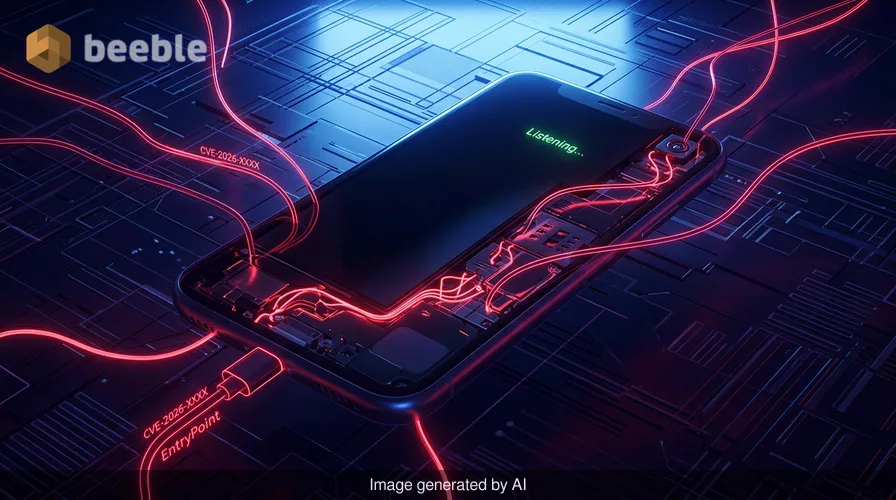
When was the last time you felt truly certain that your phone was only listening to you? In the current threat landscape, the traditional advice of "don't click on suspicious links" feels almost quaint, like telling someone to avoid rain by staying under a single leaf during a hurricane. We have entered the era of the zero-click exploit, where sophisticated spyware can compromise a device without a single interaction from the user.
As someone who has spent years communicating with sources over encrypted channels and analyzing the debris of APT (Advanced Persistent Threat) campaigns, I have seen how the architectural level of mobile security has had to evolve. The attackers—often state-sponsored entities or private intelligence firms—treat your smartphone's operating system as a puzzle to be solved. To stay safe, we must stop thinking about security as a single lock on the door and start viewing it as a series of resilient, interlocking defenses.
The Architecture of a Silent Compromise
To understand the defense, we must first assess the attack surface. Traditional malware required a delivery mechanism, usually a phishing email or a malicious website. However, zero-click spyware like Pegasus or Predator targets the very services that make our phones "smart." These attacks often exploit vulnerabilities in how a phone processes data—a text message, a missed WhatsApp call, or even a calendar invitation.
From a technical perspective, these exploits usually target the media parsing libraries or the Just-In-Time (JIT) compilers used in browsers and messaging apps. When your phone receives a specially crafted file, the system attempts to render a preview. If there is a memory corruption bug in that rendering process, the attacker gains the ability to execute code. Proactively speaking, the industry is moving toward sandboxing these processes, but the complexity of modern code means that bugs are inevitable.
Think of your phone as a high-security facility where every package delivered is opened by a robot in a reinforced room. A zero-click exploit is like a package containing a chemical gas that can seep through the robot’s seals and reach the main ventilation system. Consequently, the goal of modern mobile features is to reinforce that room or, in some cases, stop accepting packages entirely.
Hardening the Perimeter with Lockdown Mode
For those at a higher risk of being targeted—journalists, activists, or corporate executives—Apple introduced a feature that serves as a radical countermeasure: Lockdown Mode. This is not a setting for the casual user, but it is the most robust defense currently available on a consumer device.
When you enable Lockdown Mode, you are essentially reducing the attack surface of your iPhone to its absolute minimum. It disables complex web technologies like JIT compilation in Safari, blocks most message attachments other than images, and prevents your device from connecting to wired accessories when locked. From an end-user perspective, the web might feel a little slower, and some features will break, but the security trade-off is significant.
By design, Lockdown Mode treats every incoming data packet with extreme prejudice. It is the digital equivalent of a VIP club bouncer at every internal door, checking credentials even if you have already entered the building. It shuts down the very avenues that zero-click exploits rely on to gain a foothold in the system kernel.
The Move Toward Post-Quantum Protection in Messaging
One of the most stealthy methods of compromise occurs within encrypted messaging apps. While end-to-end encryption (E2EE) protects the confidentiality of your messages from service providers, it doesn't necessarily protect the device itself if the app’s parsing engine is compromised.
Apple’s recent rollout of the PQ3 protocol for iMessage represents a systemic shift in how we think about long-term data integrity. PQ3 is a post-quantum cryptographic protocol designed to be resilient against future computers capable of breaking current encryption standards. But more importantly for today’s threats, it includes a mechanism for frequent re-keying.
In the event of a breach where a single key is compromised, the system automatically cycles to a new key, limiting the amount of data an attacker can decrypt. This granular approach ensures that even if a stealthy intruder manages to intercept a portion of your communication, they cannot maintain access indefinitely. For those of us who rely on Signal for source protection, we see similar philosophies: minimizing metadata and ensuring that the keys are handled in a decentralized manner, away from the server's reach.
Android's Layered Defense and Private Space
On the Android side, the defense strategy is often more about isolation and the use of specialized hardware. Google’s Advanced Protection Program is a mission-critical suite for high-risk users, requiring the use of physical security keys for logins and providing deeper scanning of incoming files.
With the release of Android 15, the introduction of "Private Space" offers a new way to isolate sensitive applications. Imagine a shatterproof digital vault living inside your phone. Apps placed in Private Space are hidden from the rest of the system, have their own separate notifications, and are paused when the vault is locked.
| Feature | Platform | Primary Defense Mechanism |
|---|---|---|
| Lockdown Mode | iOS | Strips complex features to reduce attack surface. |
| Advanced Protection | Android | Hardware-backed authentication and aggressive file scanning. |
| Private Space | Android | Kernel-level isolation for sensitive applications. |
| iMessage PQ3 | iOS | Post-quantum resilient re-keying to limit data exposure. |
| Play Protect | Android | Real-time behavioral analysis of installed applications. |
Looking at the threat landscape, these features work together to create a defense-in-depth strategy. While no single feature is a silver bullet, they collectively raise the cost for an attacker. Every barrier we put in place requires the malicious actor to burn a more expensive, more rare zero-day vulnerability to get through.
The Power of the Periodic Reboot
One of the most underrated countermeasures against modern spyware is the simple act of restarting your device. Many sophisticated spyware tools are non-persistent. Because achieving persistence (surviving a reboot) requires exploiting the boot chain—which is heavily protected by hardware-backed secure enclaves—many attackers choose to keep their malware in the device's volatile memory (RAM).
Consequently, when you reboot your phone, you effectively flush the "digital fever" out of the system. In my own practice, I recommend a daily reboot for anyone handling sensitive information. It is a low-effort, high-impact habit that can disrupt a stealthy infection before it has the chance to exfiltrate significant amounts of data.
Furthermore, both iOS and Android have improved their forensic visibility. Features like Safety Check on iOS allow users to quickly audit who has access to their location and app data. Assessing the attack surface regularly by reviewing which apps have microphone or camera permissions is a fundamental part of maintaining a healthy security posture.
Practical Steps for Your Mobile Security Audit
Patching aside, which should always be your first priority, there are several manual steps you should take to ensure your device is as resilient as possible. We often forget that we are the human firewall, and our configuration choices are just as important as the code written by engineers in Cupertino or Mountain View.
First, audit your messaging apps. Disable automatic previews for links and attachments if the app allows it. This prevents the phone from automatically parsing potentially malicious data the moment a message arrives.
Second, leverage the hardware-backed security already in your pocket. Use a physical security key (like a YubiKey) for your primary Google or Apple ID accounts. This makes unauthorized access to your cloud backups—where a copy of your messages often lives—exponentially more difficult for an attacker.
Third, be wary of "Shadow IT" on your personal device. We often download third-party keyboards or utility apps without considering their data access. These can be exploitable gateways into your more sensitive communications. Stick to the essentials and delete anything you haven't used in the last thirty days.
Strengthening Your Security Posture
In the world of cybersecurity, we often say that defenders have to be right every time, while an attacker only has to be right once. This asymmetrical reality can be daunting. However, by leveraging the specialized features built into modern smartphones, we shift the odds back in our favor.
We must move away from a reactive mindset and toward a proactive one. Security is not a state you achieve; it is a continuous process of refinement. Whether it is enabling Lockdown Mode before traveling to a high-risk area or simply enforcing stringent MFA requirements on your accounts, every step matters.
Your immediate call to action is this: Go to your phone’s settings right now and perform a privacy audit. Review your location sharing, check which apps have access to your local network, and if you are in a high-risk profession, seriously consider if Lockdown Mode should be part of your daily digital armor. Do not wait for a breach to realize your perimeter was porous.
Sources:
- NIST Special Publication 800-213: IoT Device Cybersecurity Guidance
- MITRE ATT&CK Framework: Mobile Matrix (T1511 - Universal Cross-Site Scripting)
- Citizen Lab: Research on Zero-Click Exploits and Pegasus Spyware
- Apple Security Engineering and Architecture (SEAR) Documentation
- Google Android Security Bulletins and Advanced Protection Program Specifications
Disclaimer: This article is for informational and educational purposes only. It provides general guidance on security features and does not replace a professional cybersecurity audit, forensic analysis, or dedicated incident response service. Security configurations should be tailored to individual risk profiles.



See you on the other side.
Our end-to-end encrypted email and cloud storage solution provides the most powerful means of secure data exchange, ensuring the safety and privacy of your data.
/ Create a free account
