
Defending Your Private Conversations from Signal’s Latest Backup Phishing Wave

Imagine it is 2:00 AM. Your phone vibrates on the nightstand with the distinct notification chime of Signal. You reach for it, squinting against the blue light, to find a message from an account named Signal Support. The message is urgent and professional: a synchronization error has been detected, and your entire history of encrypted chats, family photos, and sensitive documents is at risk of permanent loss. To resolve the issue and link your existing backup to your account, you are instructed to provide your 30-digit recovery key immediately. In that half-awake state, the fear of losing years of data can easily override your technical intuition. This is the exact psychological lever hackers are currently pulling to breach the most secure messaging app on the planet.
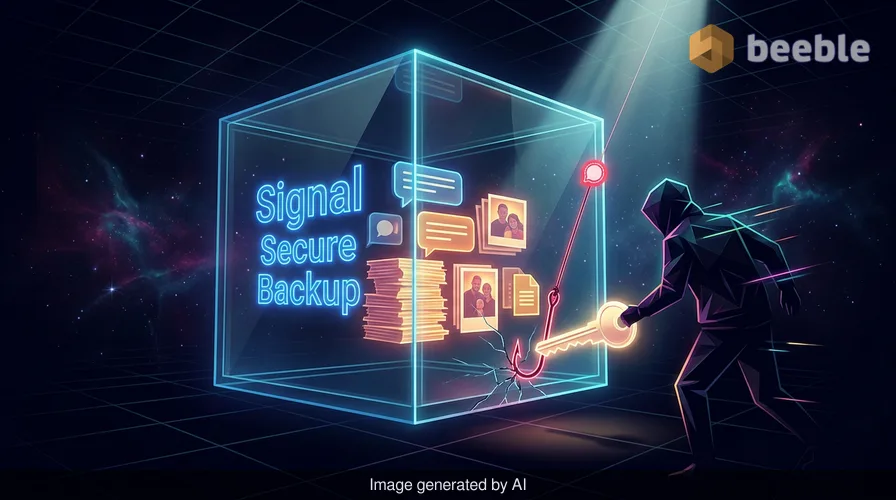
As someone who relies on Signal for communicating with high-risk sources and fellow researchers over Tor and PGP-linked channels, I have always viewed the app as a shatterproof digital vault. However, looking at the threat landscape, we are seeing a tactical shift. Recent reports from analysts and digital security helplines indicate a surge in phishing campaigns specifically designed to trick users into handing over the keys to their Secure Backups. This is a sophisticated evolution from previous attacks that merely aimed to hijack an account; this time, the prize is the data itself.
The Anatomy of the Recovery Key Trap
For years, Signal’s primary security selling point was that it stored almost nothing on its servers. If you lost your phone and didn't have a manual backup, your messages were gone forever. While this was excellent for security, it was a usability nightmare for the average person. To address this, Signal introduced Secure Backups—an opt-in feature that allows users to store an encrypted archive of their chats on Signal’s servers. By design, this archive is encrypted locally on your device using a unique 30-digit recovery key before it ever hits the cloud.
From a risk perspective, this feature created a new, valuable target. The current phishing campaign exploits the gap between technical implementation and user understanding. The hackers send messages that mimic official administrative alerts, often targeting activists and journalists who have the most to lose. By pretending to be the Signal Support team, they bypass the traditional network perimeter and attack the human firewall directly. Consequently, the user becomes the unwitting accomplice in their own data breach.
Why This Attack is Different from Previous Hijacks
To understand the severity of this campaign, we have to look at how Signal handles account registration. In a standard account takeover, an attacker might use a SIM swap or an SMS intercept to register your phone number on their device. When they do this, they gain control of your account, but they do not gain your history. Because Signal uses end-to-end encryption with keys stored only on the end-user devices, the new device starts with a blank slate. The attacker can see your contacts and potentially impersonate you moving forward, but your past secrets remain safe.
By targeting the recovery key, hackers are attempting a more forensic approach to data theft. If a malicious actor obtains both your recovery key and control over your phone number, they can restore your entire backup onto their own device. This includes every message, photo, and document you thought was safely tucked away in that shatterproof digital vault. Assessing the attack surface in this context reveals that the recovery key is now the single point of failure for your historical data integrity.
The Architectural Paradox of Convenience
There is an inherent tension in cybersecurity between convenience and absolute security. Secure Backups are a prime example of this architectural paradox. Signal designed the system so that even they cannot read your data; they don't have the recovery key, and they never will. However, because the key exists and must be accessible to the user, it can be social-engineered away from them.
Behind the scenes, the hackers are betting on the fact that most users do not understand the underlying cryptography. When the phishing message claims that a sync issue requires the key, it sounds plausible to a non-technical user. In reality, Signal’s infrastructure is built so that the support team never needs your key to fix a server-side issue. In fact, if Signal actually lost your backup due to a server error, your key wouldn't help them recover it anyway. Proactively speaking, the moment someone asks for that key, the conversation should be treated as a digital Trojan horse.
Comparing Account Hijacking vs. Backup Theft
| Feature | Standard Account Hijacking | Backup/Recovery Key Theft |
|---|---|---|
| Primary Goal | Impersonation and metadata access | Full historical data exfiltration |
| Method | SMS intercept / SIM swapping | Phishing / Social engineering |
| Message History | Not accessible (blank slate) | Fully accessible and decryptable |
| Detection | Immediate (app logs out on original phone) | Stealthy until the backup is restored |
| Mitigation | Registration Lock (PIN) | Securely stored key + Registration Lock |
Hardening Your Signal Posture
As a countermeasure against these pervasive threats, there are several stringent steps every Signal user should take immediately. Patching aside, security is a process, not a product. First and foremost, recognize that Signal will never contact you via a chat message to ask for personal information. Any message from Signal Support that initiates contact is a malicious attempt to compromise your account.
Secondly, you must treat your 30-digit recovery key like the master key to your home. Do not store it in your phone’s notes app or as a photo in your gallery. Ideally, it should live inside a robust password manager or be written down and stored in a physical safe. From an end-user perspective, if you lose this key, you lose your backup; if you share this key, you lose your privacy.
Finally, ensure that Registration Lock is enabled. This feature requires your Signal PIN to register your phone number on any new device. Even if an attacker manages to steal your recovery key through phishing, they still cannot restore your backup without also hijacking your account registration. By requiring both the PIN and the recovery key, you create a layered defense that is much more resilient against even the most stealthy APT groups.
The Ethical Journalist’s Checklist for Secure Messaging
If you find yourself targeted by one of these messages, do not engage. Engaging with the attacker, even to mock them, provides them with forensic data about when you are active and how you respond. Instead, follow these steps:
- Verify the Source: Realize that official Signal communication happens through the app's system notifications or official blog, not a standard chat window.
- Report and Block: Use the built-in reporting tools to flag the account as spam. This helps Signal’s automated systems identify and throttle malicious accounts.
- Audit Your Credentials: Review your Signal PIN and ensure it isn't something easily guessable. If you suspect your recovery key has been compromised, generate a new one immediately and delete the old backup archive.
- Educate Your Circle: Phishing often spreads through networks. If you are a high-risk user, ensure your contacts are also aware of this tactic, as they might be the next target in an attempt to reach you.
In the event of a breach, time is your greatest enemy. Systemic security relies on the collective vigilance of the community. We often talk about zero trust as a VIP club bouncer at every internal door, and that same mentality must be applied to our personal communications. Never trust a request for credentials, and always verify the identity of the requester through an out-of-band channel. By remaining skeptical and maintaining a proactive defense, we can keep our private lives exactly that: private.
Sources:
- NIST Special Publication 800-63B (Digital Identity Guidelines)
- MITRE ATT&CK Framework: T1566 (Phishing) and T1539 (Steal Web Session Cookie/Credentials)
- Signal Official Support Documentation on Secure Backups and Registration Lock
- Access Now Digital Security Helpline Incident Reports
Disclaimer: This article is for informational and educational purposes only. It does not replace a professional cybersecurity audit or dedicated incident response service. Always consult with a security professional regarding your specific threat model.



See you on the other side.
Our end-to-end encrypted email and cloud storage solution provides the most powerful means of secure data exchange, ensuring the safety and privacy of your data.
/ Create a free account