


How a discarded USB drive turned into a silent cryptocurrency thief

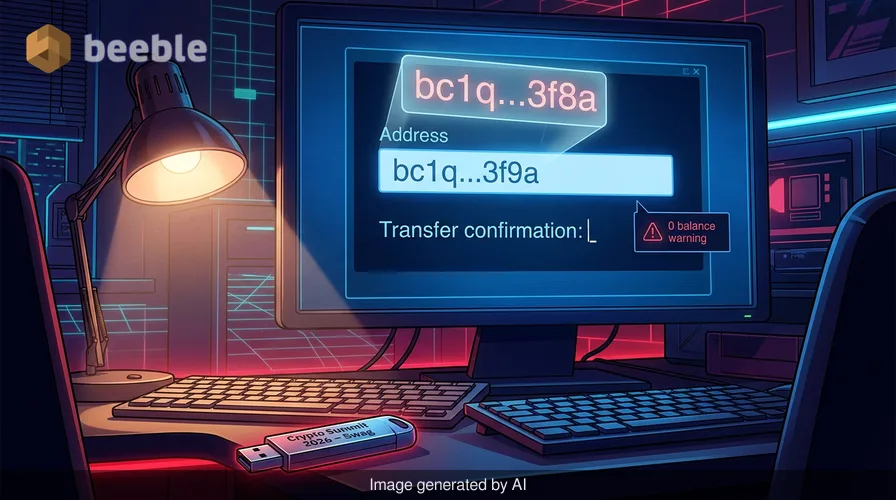
A senior developer at a boutique fintech firm noticed an anomaly in his hardware wallet transactions last Tuesday. He attempted to send 0.5 Bitcoin to a cold storage address he had used dozens of times. He copied the address from his password manager and pasted it into the transfer field. The transaction went through. However, the funds never arrived at his intended destination. Within minutes, the balance in his source wallet hit zero. A forensic investigation of the workstation revealed that the pasted address was not the one he copied. It was a nearly identical string controlled by an attacker. The entry point for this breach was a promotional USB drive he found in a conference swag bag three months prior.
Microsoft researchers recently identified this specific threat as a new, self-propagating worm. They call it Crypto Clipper. This malware is a departure from the bloated, complex ransomware packages that dominate current headlines. It is a lightweight script-based backdoor that prioritized stealth and immediate monetization. The attack chain begins when a user connects an infected USB drive to a Windows machine. The drive contains malicious .lnk files that masquerade as legitimate documents or folders. When a user interacts with these files, the infection process begins without a traditional installation prompt.
The mechanism of silent replication and initial infection
The propagation of Crypto Clipper is a throwback to the era of early internet worms. It relies on the physical movement of hardware between systems. When the malware finds a new host, it scans for any attached USB storage devices. It creates a series of .lnk files on these drives. These shortcut files store executable code that points to the malware payload. To increase the chances of a successful click, the malware uses names that match the existing files on the drive. This is a digital Trojan horse that exploits the inherent trust users place in their own hardware.
From a risk perspective, this worm is effective because it bypasses the network perimeter entirely. Most modern security stacks focus on incoming web traffic and email attachments. A malicious script that arrives via a local hardware interface often avoids the initial layers of inspection. Once the .lnk file runs, it executes a PowerShell command. This command checks if the machine is already infected. If the system is clean, the script reaches out to an external server to download the core components of the clipper.
Why traditional firewalls miss Tor-routed traffic
The most distinctive feature of Crypto Clipper is its use of the Tor network for command and control. Most malware families use hardcoded IP addresses or domain names that security analysts can easily block. This malware adopts a more resilient approach. It deploys a portable Tor client on the infected host. It then routes all outbound communication through a local SOCKS5 proxy, typically on port 9050. This creates an anonymous tunnel between the compromised device and the attacker.
This setup is a direct challenge to standard logging practices. In a typical corporate environment, a firewall logs the destination IP of every outbound packet. When a device uses Tor, the firewall only sees a connection to a Tor entry node. These nodes are often legitimate servers. The actual destination of the stolen data remains hidden behind multiple layers of encryption and redundant nodes. Assessing the attack surface in this context is difficult because the malicious traffic blends in with common encrypted web activity. The malware uses the SOCKS5 protocol to forward data to its final destination, ensuring the attacker's server address never appears in the local network logs.
The anatomy of a clipboard hijack
The primary function of the malware is to monitor the Windows clipboard. It looks for specific patterns that match cryptocurrency wallet addresses. Bitcoin, Ethereum, and other major assets use standardized alphanumeric formats. Crypto Clipper uses regular expressions to identify these strings in real time. When a user copies an address, the malware intercepts the clipboard content. It replaces the user's address with an address owned by the attacker.
This is a simple but devastating form of data integrity compromise. Most users verify an address by checking the first and last four characters. Sophisticated variants of this malware generate thousands of addresses to find one that matches the victim's intended target as closely as possible. Beyond simple address replacement, the malware also monitors for seed phrases. These are the 12- or 24-word sequences used to recover a crypto wallet. If the malware detects a seed phrase on the clipboard, it exfiltrates the text immediately. This gives the attacker total control over the victim's entire digital asset portfolio.
Visual confirmation through stealthy screen capture
Crypto Clipper does not stop at text-based theft. Microsoft discovered that the malware takes five screenshots over a 10-second period whenever it detects sensitive data on the clipboard. These images provide the attacker with context. A screenshot can reveal the specific wallet software in use, the balance of the account, or additional security questions on the screen. The malware uses native PowerShell commands to capture the screen, which helps it avoid detection by basic antivirus software that only looks for third-party capture tools.
| Feature | Traditional Stealer | Crypto Clipper |
|---|---|---|
| Connection Method | Direct IP/DNS | Tor via SOCKS5 Proxy |
| Persistence | Registry Keys/Startup Folder | USB Self-Propagation |
| Data Target | Saved Passwords/Cookies | Active Clipboard/Seed Phrases |
| Evidence | Local Log Files | Screen Captures/Anonymized Exfiltration |
| Infrastructure | Static C2 Servers | Decentralized Tor Hidden Services |
The transition from stealer to active backdoor
While the primary goal is financial theft, Microsoft classifies this threat as a lightweight backdoor. The presence of the Tor proxy and the ability to execute remote code means the attacker can do more than just swap wallet addresses. They can push new scripts to the infected machine at any time. This allows the malware to evolve based on the environment it inhabits. In a corporate setting, an attacker might pivot from stealing crypto to harvesting internal credentials or deploying ransomware.
This runtime tasking capability makes the malware a persistent threat. Even if a user clears their clipboard or moves their funds, the backdoor remains active. The attacker can wait for months before deploying a more invasive payload. Proactively speaking, the existence of a persistent, anonymous connection to an internal workstation is a worst-case scenario for any security team. It turns a single infected USB drive into a permanent hole in the ship's hull.
Technical indicators of a compromised system
Microsoft Defender for Endpoint has specific signatures for this threat. It flags suspicious JavaScript processes and data exfiltration attempts that use the Curl utility. However, manual hunting is often necessary for older systems or those without advanced EDR tools. The strongest indicator of a Crypto Clipper infection is the presence of a proxy service listening on localhost:9050. This is the default port for the Tor SOCKS5 proxy.
Administrators should also look for script interpreters like PowerShell or CMD spawning unusual child processes. The malware frequently uses these to execute its screen capture and clipboard monitoring routines. Any evidence of screen-capture commands in PowerShell history should be a red flag. From a forensic perspective, the appearance of new .lnk files on a USB drive with names that mimic existing documents is a definitive sign of the worm's presence. Microsoft Defender Antivirus detects the core payload as Trojan: Win32/CryptoBandits.A.
Practical steps to harden your hardware interfaces
Securing a network against a self-propagating worm requires a combination of technical controls and user education. Patching aside, the most effective defense is a stringent policy regarding removable media. Many organizations now disable USB ports by default or use software to whitelist specific, encrypted drives. This is the digital equivalent of a VIP club bouncer at every internal door. If a device is not on the list, it does not get in.
Users must also adopt a zero-trust approach to their clipboards. Never assume that the string you paste is the same string you copied. Always verify the entire wallet address, not just the first few characters, before confirming a transaction. For high-value transfers, out-of-band verification is a necessity. This involves checking the address on a separate device that is not connected to the same network. This simple step can prevent the vast majority of clipper-based thefts.
Finally, organizations should audit their systems for the presence of unauthorized proxy tools. Tor has legitimate uses, but its presence on a standard office workstation is almost always a sign of shadow IT or a security breach. Monitoring for network traffic to known Tor entry nodes can help identify infected machines before the attacker can exfiltrate significant amounts of data. This proactive monitoring is the difference between a minor incident and a total loss of digital assets.
Sources
- Microsoft Threat Intelligence Report (June 2026)
- MITRE ATT&CK Framework: T1021.002 (SMB/Windows Admin Shares), T1090.003 (Multi-hop Proxy)
- NIST Special Publication 800-53: Revision 5 (Security and Privacy Controls)
- Microsoft Security Blog: Evolution of Script-Based Stealers
Disclaimer: This article is for informational and educational purposes only. It does not replace a professional cybersecurity audit or incident response service. Always consult with a certified security professional before making changes to your enterprise security posture.



See you on the other side.
Our end-to-end encrypted email and cloud storage solution provides the most powerful means of secure data exchange, ensuring the safety and privacy of your data.
/ Create a free account
