


YouTube Finally Launches Native Apple Vision Pro App After Two-Year Wait

A Long-Awaited Arrival
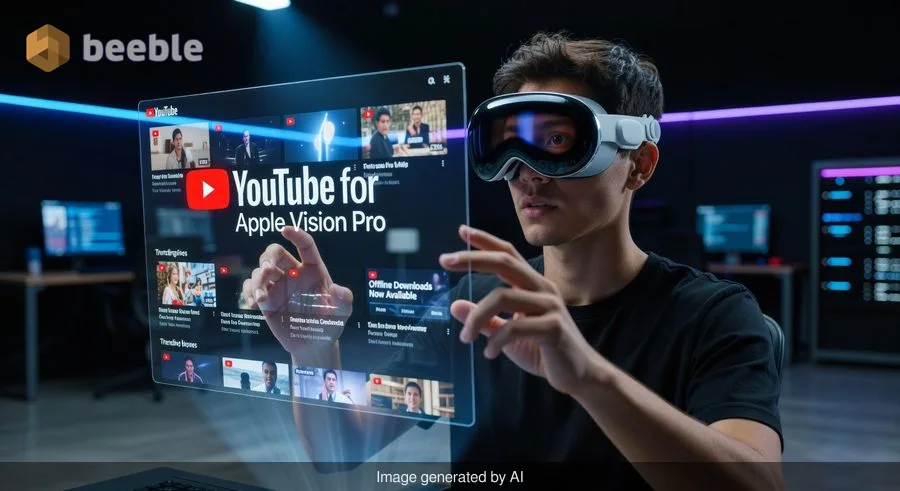
After nearly two years of conspicuous absence, YouTube has finally released a dedicated application for Apple's Vision Pro headset. The streaming giant's decision to initially bypass Apple's spatial computing platform left many early adopters frustrated, forced to rely on Safari's web interface to access the world's largest video platform. Now, that wait is over.
The native app marks a significant shift in YouTube's approach to Apple's premium headset, which launched in February 2024. While competitors like Disney+ and Max offered immersive experiences from day one, YouTube viewers had to make do with a browser-based solution that lacked many features users have come to expect from modern streaming applications.
What the Native App Brings to Vision Pro
The new YouTube app introduces several critical features that were impossible through Safari alone. Most notably, users can now download videos for offline viewing—a game-changer for travelers or anyone who wants to watch content without an internet connection. The web-based experience simply couldn't support this functionality, making YouTube on Vision Pro essentially tethered to Wi-Fi.
The app also delivers improved spatial video playback capabilities, taking advantage of Vision Pro's unique display technology. Users can now enjoy YouTube content in environments that feel more immersive than a traditional browser window floating in space. The interface has been redesigned specifically for spatial navigation, making it easier to browse channels, search for content, and manage playlists using eye tracking and hand gestures.
Background playback represents another welcome addition. Previously, switching to another app meant your YouTube video would stop playing. The native application allows audio to continue while you multitask—perfect for listening to music, podcasts, or long-form content while working in other applications.
Why Did YouTube Wait So Long?
The two-year delay raises questions about YouTube's initial strategy. When Vision Pro launched in early 2024, several streaming services rushed to create native applications, recognizing the platform's potential. YouTube's parent company Google, however, took a more cautious approach.
Industry observers have speculated about various factors behind the hesitation. The Vision Pro's relatively small user base may have made app development seem like a lower priority. Development costs for spatial computing applications are substantial, requiring specialized expertise in visionOS and completely different interface paradigms than traditional mobile or desktop apps.
Competition between Google and Apple likely played a role as well. The two tech giants compete across multiple fronts, from smartphones to web browsers to cloud services. YouTube's delayed arrival on Vision Pro could have been a strategic decision, though neither company has publicly confirmed this.
Regardless of the reasons, YouTube's absence created an opening for competitors. Services that invested early in Vision Pro development built goodwill with early adopters and gained valuable experience with spatial computing interfaces.
What Vision Pro Users Should Know
If you own a Vision Pro, the YouTube app is available now through the App Store. The installation process is straightforward—simply search for YouTube in the visionOS App Store and download as you would any other application.
The app requires visionOS 2.0 or later, so ensure your headset is updated before attempting installation. Most Vision Pro units shipped in the past year should already meet this requirement, but checking your software version under Settings is worthwhile.
Once installed, you'll need to sign in with your Google account to access subscriptions, playlists, and personalized recommendations. The login process uses the same eye-tracking and virtual keyboard interface you're familiar with from other visionOS apps.
For the best experience, YouTube recommends using the app in a well-lit environment where hand tracking works optimally. The spatial interface relies heavily on gesture controls, and poor lighting can make navigation frustrating.
How It Compares to Other Streaming Apps
Vision Pro's app ecosystem has matured significantly since launch. Services like Apple TV+, Disney+, Max, and Amazon Prime Video have refined their spatial interfaces over two years of updates. YouTube enters a more competitive landscape than existed at launch.
Early reviews suggest YouTube's implementation is solid but not groundbreaking. The app delivers expected functionality without pushing the boundaries of what spatial computing can offer. Features like 360-degree video playback and VR content work as intended, but don't necessarily surpass what dedicated VR platforms like Meta Quest have offered for years.
The real advantage lies in YouTube's unmatched content library. With billions of videos spanning every conceivable topic, YouTube's catalog dwarfs any competitor. For Vision Pro users, having native access to this content with offline downloads and proper spatial integration is valuable regardless of whether the app breaks new technological ground.
What This Means for Spatial Computing
YouTube's arrival on Vision Pro signals growing developer confidence in spatial computing platforms. While the Vision Pro hasn't achieved mass-market adoption—Apple has been characteristically secretive about sales figures—it has established itself as a legitimate platform for content consumption.
The app's release also suggests YouTube sees a future in spatial computing beyond Apple's ecosystem. Reports indicate that Google is exploring its own augmented reality hardware, and the experience gained from developing for visionOS will prove valuable for future projects.
For consumers, each major app that comes to Vision Pro strengthens the platform's value proposition. The headset's high price point—$3,499 for the base model—makes content availability crucial. YouTube's massive library helps justify that investment for potential buyers who were previously hesitant.
Practical Tips for Getting Started
Once you've installed the YouTube app, here are some recommendations for optimizing your experience:
Download content before traveling. The offline download feature is one of the app's biggest advantages. Before a flight or road trip, queue up videos, playlists, or full channels to watch without connectivity.
Explore spatial video content. YouTube has been quietly building a library of videos shot specifically for spatial viewing. Search for "spatial video" or "180 VR" to find content that takes full advantage of Vision Pro's display capabilities.
Customize your environment. VisionOS allows you to watch videos in various virtual environments. Experiment with different settings to find what works best for different content types—a cinema environment for movies, a neutral space for tutorials, or a scenic backdrop for music videos.
Use voice commands. While gesture controls work well, voice input through Siri can make searching and navigation faster, especially for longer queries.
Adjust window size and distance. Don't settle for default settings. The YouTube window can be resized and repositioned to match your preferences. Find what feels comfortable for extended viewing sessions.
Looking Forward
YouTube's native Vision Pro app represents a milestone for both companies. For Apple, it means the Vision Pro finally has access to the world's most popular video platform without compromise. For YouTube, it's an entry point into the next era of computing interfaces.
The real test will be how YouTube iterates on this initial release. Spatial computing is still evolving, and developers who push boundaries often define how users expect to interact with these platforms. Features like collaborative viewing, spatial annotations, or creator tools designed specifically for immersive content could differentiate YouTube from competitors.
For now, Vision Pro users can finally enjoy YouTube the way they've wanted to since the headset launched—with full app features, offline downloads, and an interface designed specifically for spatial interaction. After a two-year wait, that alone is worth celebrating.
Sources
- Apple Vision Pro Official Product Page
- YouTube Official Blog and Press Releases
- The Verge: YouTube App Coverage
- TechCrunch: Vision Pro Platform Updates
- Apple Developer Documentation: visionOS Guidelines



See you on the other side.
Our end-to-end encrypted email and cloud storage solution provides the most powerful means of secure data exchange, ensuring the safety and privacy of your data.
/ Create a free account
