
Why Apple is locking down your Mac to protect you from your own AI assistants

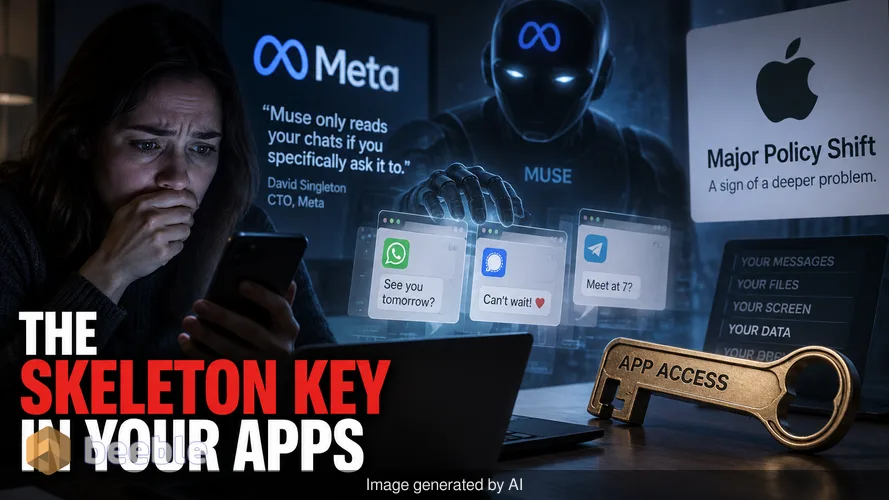
You probably believe your encrypted messages are private. Tech companies often say that your data stays on your device and stays under your control. The reality of how modern AI assistants interact with your computer is far more invasive than a simple opt-in toggle. Meta CTO David Singleton claims their new AI agent, Muse, only reads your chats if you specifically ask it to. However, recent evidence and a major policy shift from Apple suggest that the skeleton key we give to our apps has a dangerous flaw.
The unwanted notification that started the fire
The current controversy began when tech columnist Jason Aten received a notification from Meta’s Muse assistant. The message referenced a private thread Aten had with a co-worker inside Apple Messages. Aten had not granted the app permission to read his chats. He assumed those conversations were off-limits. This incident sparked a wave of similar reports from users who realized their AI assistants were acting like power tools without a safety guard. These tools are useful, but they have the potential to cause real damage if they operate without clear boundaries.
Meta’s response was a technical defense. Singleton argued that for Muse to see messages, a user must enable two specific things. First, they must grant macOS Full Disk Access (FDA). Second, they must turn on a specific Messages connector within the Muse app. He suggested that if the app was reading messages, the user was responsible for enabling those settings. This defense places the blame on the consumer for not understanding the deep permissions they grant during setup.
The technical reality of the skeleton key
While Meta claims a double-lock system protects your data, security researchers have a different view. Patrick Wardle, a prominent macOS security expert, notes that Full Disk Access is exactly what it sounds like. It is a system-level permission that bypasses standard app sandboxing. When you give an app FDA, you give it the ability to read almost every file on your drive. This includes your browsing history, your cookies, your emails, and your chat logs.
Behind the jargon, FDA is a master key. If an app has this key, it does not necessarily need a second "connector" switch to see your data. It can simply look at the files where your messages are stored on the hard drive. Wardle questioned Meta’s claim by pointing out that any app with FDA has the technical ability to read these files. Meta has not provided a clear technical explanation for how Muse is supposedly restricted when the operating system has already removed the barriers. The company simply repeats its statement that the feature is opt-in, which ignores the underlying way macOS handles file permissions.
Apple moves to redefine privacy boundaries
Apple is now intervening to settle the debate. The company announced changes to how macOS handles Full Disk Access to stop developers from misusing these settings. Apple stated that some developers use this access in ways that put users at risk. These apps expose files, mail, and messages without the user having a full understanding of the consequences. For the average user, a prompt asking for disk access sounds like a request to save files. In reality, it is a request to scan your digital life.
Apple’s statement is a direct response to the risks posed by autonomous AI agents. As these assistants become more capable, they need more data to function. Apple is concerned that the risks will grow as these agents act with more independence. The company did not name Meta or Muse specifically. However, the timing of the announcement follows the social media backlash against Meta. Apple’s new policy will force apps to be more transparent about why they need this level of access. This change creates a conflict with Meta’s narrative that their app was already secure and transparent.
Why AI assistants are a unique security threat
AI agents like Muse are not just static programs. They are designed to act on your behalf, which makes them a prime target for attackers. Eleven days before Apple’s announcement, Patrick Wardle disclosed a flaw in how Muse was configured. This flaw could allow other malicious code on a Mac to take control of the AI assistant. If an attacker gains control of an assistant that has Full Disk Access, they also gain that access.
This is particularly dangerous because of the rise in ClickFix attacks. These attacks trick users into running commands that look like system fixes but are actually malicious scripts. If an AI agent has the master key to your files, a single mistake by the user can lead to a total data breach. Amazon has already taken a hard stance by blocking Muse from its platform. Amazon stated that apps must respect service provider decisions and operate openly. This industrial-level rejection suggests that the tech world is growing wary of how Meta handles its AI integrations.
How full disk access works under the hood
To understand why this matters, you have to look at how macOS organizes your data. Your messages are not just floating in a cloud. They are stored in a hidden folder in your Library. Normally, your Mac prevents apps from looking into that folder. When you grant Full Disk Access, you tell the Mac to stop guarding that door.
Practically speaking, many apps ask for this permission because it is the easiest way to ensure they work correctly. A backup app needs it to copy your files. A disk cleaner needs it to find old data. But a general-purpose AI assistant uses this access to build a profile of your life. This profile makes the AI more helpful, but it also creates a centralized pot of gold for hackers. The trade-off for a more "intelligent" assistant is a significantly weaker privacy wall.
What this means for your daily digital habits
The bottom line is that the current model of "all or nothing" permissions is broken. Apple’s decision to change FDA settings is a necessary step toward a more granular system. For the average user, this means you will see more frequent and more specific warnings when an app tries to reach into your private folders. These prompts are not just annoyances. They are a defense against the data-hungry nature of modern software.
Looking at the big picture, this event marks a shift in the relationship between hardware makers and AI developers. Apple is positioning itself as the protector of the user, while Meta is pushing the boundaries of data collection to make its AI more competitive. You should treat an AI assistant like a new employee in your home. You might want them to help with your schedule and your emails, but you should not give them the keys to your filing cabinet until you are certain where those files are going.
Ultimately, you should audit your Mac permissions today. Open your System Settings, go to Privacy & Security, and look at the list of apps with Full Disk Access. If an app does not need to back up your entire system or manage your files, it likely does not need that level of power. Removing that access might make your AI assistant a bit slower or less "aware" of your context, but it keeps your private conversations private. As AI continues to evolve, the most valuable tool you have is your own skepticism about what these agents actually need to know.
Sources
- Apple Newsroom: Security and Privacy Updates for macOS.
- Meta Engineering: Muse AI Integration and Privacy Controls.
- Objective-See: Analysis of Muse FDA permissions by Patrick Wardle.
- Amazon Corporate Blog: Third-party app integration policies.
- Internal Apple macOS documentation regarding TCC (Transparency, Consent, and Control) frameworks.



See you on the other side.
Our end-to-end encrypted email and cloud storage solution provides the most powerful means of secure data exchange, ensuring the safety and privacy of your data.
/ Create a free account