
Securing the GitLab AI Gateway Against Remote Code Execution

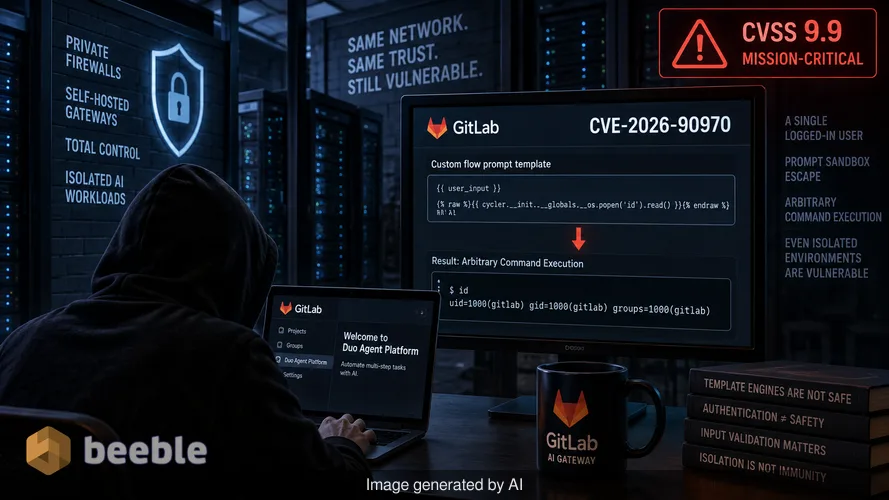
Large enterprises spend millions to isolate their AI workloads behind private firewalls and self-hosted gateways. They expect total control over their data flow and a hardened perimeter against external threats. The actual exploitability of GitLab AI Gateway version 19.4 shows that even the most isolated environments remain vulnerable to simple input flaws. A single logged-in user with access to the Duo Agent Platform can bypass the sandbox that is supposed to contain AI prompts. This escape leads directly to arbitrary command execution on the server that manages the organization's connection to large language models.
I have spent years analyzing how developers treat template engines as safe zones. There is a common misconception that if a user is already authenticated, the risk of a sandbox escape is secondary. This mindset is dangerous. In the case of CVE-2026-90970, GitLab rated the flaw a 9.9 out of 10 on the CVSS scale. That score is a clear indicator that the security community views this as a mission-critical failure. The flaw is not a subtle memory corruption or a complex timing attack. It is a failure in the prompt template of a custom flow, a feature designed to automate multi-step tasks.
The architectural risk of sensitive signing keys
The GitLab AI Gateway acts as a shatterproof digital vault for the connection between an internal GitLab instance and external AI providers. By design, this gateway holds JSON Web Tokens (JWT) signing keys. These keys are sensitive credentials that facilitate secure communication. If an attacker executes commands on the gateway, they are no longer just a user within a sandbox. They possess the same permissions as the gateway service itself. This level of access allows a malicious actor to intercept requests or potentially manipulate the AI responses that other developers in the company rely on for code generation and security scanning.
From a risk perspective, the impact is systemic. A self-hosted gateway is often chosen specifically to keep data within a controlled environment. When that gateway is compromised, the very tool meant to enhance privacy becomes a beachhead for a larger intrusion. The gateway connects to the organization’s AI model providers and the primary GitLab instance. A compromise here is a compromise of the trust relationship between the development environment and the intelligence layer that powers it.
Deconstructing the prompt injection sandbox escape
The technical reality of this flaw lies in CWE-1336, which covers improper neutralization of directives in web page templates. GitLab allows users to create custom flows on the Duo Agent Platform. These flows use prompt templates to structure how the AI processes information. A user with legitimate access can craft a flow configuration that tricks the template engine into executing code outside of its intended boundaries. This is the classic sandbox escape. The system treats the attacker's malicious input as a command rather than as data.
Behind the scenes, the gateway fails to validate the structure of the prompt template properly. I remember a similar case I discussed with a white-hat hacker over a Signal connection last year. We looked at a template engine that allowed users to call system functions if they nested their brackets in a specific way. It was a simple oversight in the parser. GitLab’s recent history suggests this is a recurring theme. In February, they patched CVE-2026-1868, another 9.9 flaw that also involved crafted flow definitions. The repetition of this vulnerability class indicates that template security remains a difficult hurdle for AI-integrated platforms.
Assessing the attack surface for self-hosted instances
Only organizations that host their own AI Gateway need to act. GitLab manages the gateway for customers on GitLab.com and GitLab Dedicated. Proactively speaking, those customers are already protected because GitLab updated its own infrastructure before the public advisory. The burden of defense now rests on the shoulders of sysadmins who manage their own Docker images or Helm charts.
At the architectural level, the gateway is a standalone service. It does not update automatically when you update the main GitLab instance. This separation is important. A common pitfall is to assume that a patched GitLab Rails application means a patched AI environment. The gateway is a separate Docker image with its own versioning and lifecycle. If you run a version between 18.1.6 and 19.2.4, or any version in the 19.3 and 19.4 lines prior to the latest releases, you are vulnerable.
Manual update steps for Docker and Helm
Patching is the only effective countermeasure because GitLab has not provided a workaround. To secure a Docker-based deployment, you must stop the existing container and remove it. You then pull the updated image tag. For most enterprise users, this will be the self-hosted-v19.4.1-ee tag or its equivalent for the 19.2 and 19.3 lines.
For those using Kubernetes, the process involves updating the image setting in the Helm chart. The table below summarizes the necessary update paths for affected versions:
| Gateway version in use | First fixed version |
|---|---|
| 18.1.6 to 19.2.3 | 19.2.4 |
| 19.3.0 to 19.3.1 | 19.3.2 |
| 19.4.0 | 19.4.1 |
GitLab’s maintenance policy generally covers the current and previous two minor releases. Consequently, the fixes are available for the 19.2, 19.3, and 19.4 lines. If you are running an older version, such as 19.1, there is no official fix listed. This lack of support for older versions is a granular detail that administrators must not overlook. Running an unsupported version of the gateway is effectively leaving the digital vault unlocked.
Forensic limitations and the absence of exploitation
As of today, the U.S. Cybersecurity and Infrastructure Security Agency (CISA) lists the exploitation of this flaw as none. There is no public proof of concept and no evidence of active exploitation in the wild. However, the advisory does not provide a method to check if a gateway was attacked before the update. This lack of forensic visibility is a significant gap. Without specific log signatures or indicators of compromise, administrators are left to wonder if their signing keys were accessed during the window of vulnerability.
In the event of a breach involving a tool like this, the goal is often stealthy persistence. An attacker might not crash the gateway. They might instead quietly export the JWT signing keys to facilitate unauthorized access to AI models later. This is why immediate rotation of sensitive credentials after a patch is a standard industry practice. Patching the hole in the ship's hull is the first step, but you must also check if any cargo was tossed overboard while the hole was open.
The human element in AI security
We often treat AI as a futuristic layer that sits on top of our existing code. In reality, AI services like the GitLab Gateway are just more software. They are subject to the same old school vulnerabilities like command injection and template escapes. The human firewall remains the first line of defense. The users who have Duo Agent Platform access are the ones who can reach this flaw. Restricting access to these platforms to only those who strictly need it follows the principle of least privilege.
Zero trust is a VIP club bouncer at every internal door. Even if a user is inside the building, the bouncer should check their credentials before letting them near the template engine configuration. If your organization allows every developer to create custom AI flows without oversight, you are increasing your attack surface. The complexity of these AI integrations makes granular access control a requirement rather than a suggestion.
Takeaways for immediate mitigation
To address this critical flaw, administrators should follow a specific sequence of actions. First, identify the exact version of the AI Gateway image currently running in the environment. Do not assume the version matches the main GitLab application. Second, apply the relevant patch immediately using the Docker or Helm procedures provided by GitLab. Third, consider rotating the JWT signing keys if the gateway was exposed to untrusted internal users before the patch was applied.
Finally, audit the list of users who have permission to configure custom flows on the Duo Agent Platform. If a user does not have a mission-critical reason to modify these configurations, remove their access. Reducing the number of people who can reach the vulnerability is as important as fixing the code itself. Security is a continuous process of refinement, not a one-time update.
Sources
- GitLab Security Advisory (CVE-2026-90970)
- CISA Known Exploited Vulnerabilities Catalog (Assessment Phase)
- CWE-1336: Improper Neutralization of Directives in Web Page Templates
- NIST Guide to Enterprise Patch Management Strategies
Disclaimer: This article is for informational and educational purposes only. It does not replace a professional cybersecurity audit or incident response service. Always consult official vendor documentation before performing system updates.



See you on the other side.
Our end-to-end encrypted email and cloud storage solution provides the most powerful means of secure data exchange, ensuring the safety and privacy of your data.
/ Create a free account